Comparisons · · 25 min read
5 Best Fern Alternatives in 2026
Fern gives its documentation platform away and prices the next step by sales call. This guide compares the alternatives on the questions that end most Fern evaluations: what happens at the eleventh editor and the second site, how much reader AI you actually get, and who replaces the SDK generation that made Fern worth buying in the first place.

Roop Reddy
Co-Founder, Documentation.AI
On this page
Fern is two products wearing one name. It publishes a documentation site from your API specification. It also generates client libraries in nine languages from the same file. Almost nothing else in this category does both.
That shapes every comparison here, because most Fern alternatives replace only one half. Fern's documentation platform is now free for 10 people and one site, so teams rarely leave over the invoice. They leave when they hit the edge of that plan, and find nothing published on the other side of it.
This guide ranks five alternatives in the order most teams should look at them, then covers the free and open-source options, a side-by-side comparison, and how to decide. Prices are the annual rates each vendor publishes.
Quick Verdict (TL;DR)
Documentation.AI is the best Fern alternative for most teams in 2026. It does the documentation half of Fern's job with a visual editor over Git-synced MDX, an AI agent, and an assistant on the published site, and it keeps publishing prices where Fern stops. Standard starts at $55 a month, and the AI works on the free plan. The other four each win a narrower job:
- Documentation.AI: best overall, and the pick when the free plan runs out and you want a price rather than a quote
- Mintlify: best like-for-like docs-as-code replacement, with the strongest published design
- Speakeasy: best replacement for Fern's SDK generation, which no documentation platform here covers
- Redocly: best for OpenAPI documentation governed and reviewed like code
- ReadMe: best for an API developer portal where per-key usage data matters
Why Look for Alternatives to Fern?
Fern is unusually generous at the entry level and unusually quiet above it. Its documentation plan is free forever with 10 team members, 1,000 pages, and the full AI feature set, and the only other plan is Enterprise on tailored pricing. [1] That structure suits some teams perfectly and traps others, so both sides are worth weighing before you move anything.
What Fern Does Well
One specification, three outputs. Fern takes your OpenAPI file and produces a documentation site, SDKs in TypeScript, Python, Go, Java, .NET, PHP, Ruby, Swift, and Rust, and a command-line tool, all regenerated from the same source. [2] Nothing else in this comparison does all three.
The SDKs carry it, and they are not thin wrappers. Each one ships with retries and exponential backoff, cursor and offset pagination, OAuth token refresh, webhook signature verification, typed errors, a generated README, a method-by-method reference, and unit, mock server, and integration tests. Fern publishes them to npm, PyPI, Maven, NuGet, and the other registries as part of the pipeline.
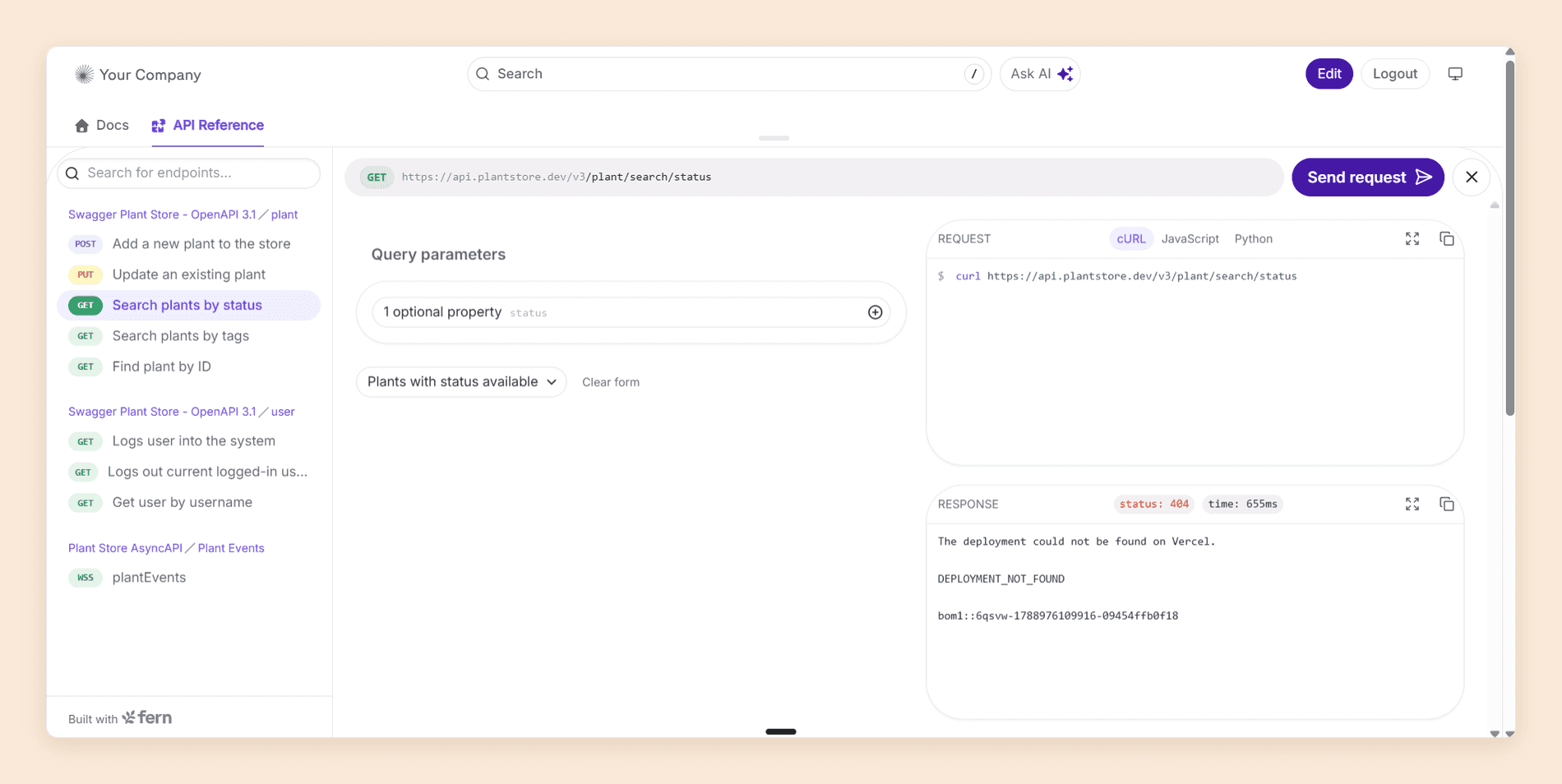
Specification coverage is broader than the rest of the field. Fern's free plan handles REST, webhooks, WebSockets, server-sent events, and Protobuf, and reads OpenAPI, OpenAPI Overlays, AsyncAPI, gRPC, GraphQL, and OpenRPC. [1] If your API is not a plain REST service, this is often the shortest list of compromises available.
The free plan is also real rather than a trial. Ten team members, 1,000 pages, a custom domain and subpath, the web editor, the API explorer, PDF export, password protection, preview links, version and product switching, Ask Fern, Fern Agent, and an MCP server all arrive at $0. [1] Fern is now a Postman company, acquired in January 2026, with the brand and team intact.
Where Fern Falls Short
There is nothing between free and Enterprise. Fern publishes one price, $0, and then routes you to a demo. An eleventh editor, a second documentation site, a second repository feeding one site, and self-hosting are all custom quotes rather than a higher tier. [1]
Design control stops at the theme. Custom CSS and JavaScript, custom React components, custom layouts and navigation, and design-system integration are Enterprise. [1] So is localization, which Fern's own documentation still describes as early access.
Reader login and roles are Enterprise too. Password protection is on the free plan, but RBAC, JSON web tokens, and single sign-on are not, so the moment your documentation has to know who is reading it, you are in a procurement conversation. [1]
The AI allowance is small. The free plan carries 250 credits a month. Ask Fern costs two credits a message and a documentation update session in Slack costs 50, so the month's budget is 125 reader answers, or five agent sessions, or some split between them. [2] There is no published way to buy more.
Fern's mark stays on your site. Removing Fern branding is listed as Enterprise. A free plan that puts a vendor's name in your footer is a reasonable trade, but it is a trade, and it is the one most often noticed after launch.
SDK generation carries no published price at all. The pricing page covers documentation only. [1] The half of the product most teams buy Fern for is a sales conversation from the first call, so budgeting a migration is harder than the free tier suggests. Our Fern pricing guide works through what the plan boundaries cost in practice.
The Fern review scores the whole product.
You can test this list before you price it. Start free carries five editors and the AI Assistant, your MDX and your OpenAPI file import as they are, and your Fern site keeps serving readers while you try it.
1. Documentation.AI
Documentation.AI publishes a price for every tier Fern quotes for. Unlimited seats, four projects, reader login through JWT or OAuth, role-based permissions, and custom styling all sit on plans you can read off a pricing page at $55 and $159, where Fern's answer above the free plan is a conversation.
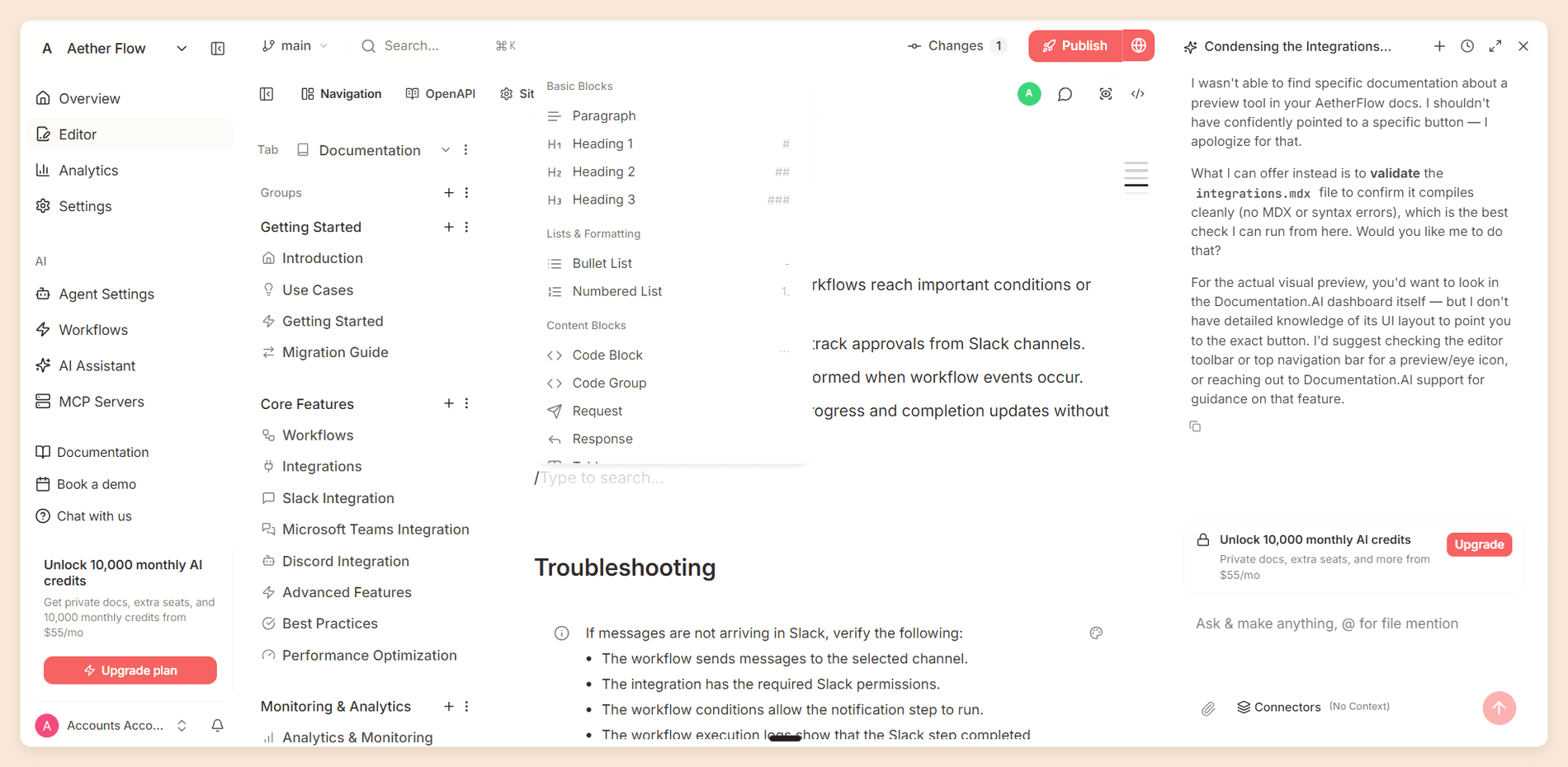
It replaces Fern's documentation half, not its SDK half, and that trade is the whole decision if you ship generated client libraries. On the documentation side the shape is familiar: writers in a visual editor, engineers in MDX through two-way Git sync, and an AI agent taking on drafting, restructuring, and upkeep.
Features
- Access control on a price list. Password protection on Standard, private docs with JWT or OAuth login and role-based permissions on Pro at $159, and SSO with SCIM on Enterprise. Fern puts reader login, RBAC, and SSO behind a quote at every volume. [1]
- Seats and projects sit on the plan. Ten editors and two projects on Standard, unlimited editors and four projects on Pro. The eleventh editor and the second site are the two boundaries that push teams off Fern's free plan, and neither one is a sales call here.
- Custom CSS and JavaScript on every plan, including the free one, where Fern holds styling, custom React, and custom layouts for Enterprise. [1]
- AI Assistant with confidence scores. Answers readers with citations and scores each answer, at 10 credits a question against Fern's two, and 10,000 credits a month on Standard against Fern's 250. The low-confidence questions become a list of pages your documentation is missing.
- AI Documentation Agent. Drafts and edits pages, and restructures navigation while keeping existing URLs working. It pulls context from GitHub, GitLab, Jira, and Confluence, so pages get written from where the product work happened.
- One source, two ways in. A visual editor with slash commands in the browser, or MDX in Cursor or VS Code through bidirectional sync with GitHub or GitLab. Setup does not require a Git provider at all, the opposite of Fern's repository-first model.
- API playground generated from your OpenAPI spec, on every plan.
Pricing
| Plan | Price | What it includes |
|---|---|---|
| Starter | Free | Five editor seats, one project, 10,000 one-time credits |
| Standard | $55/mo | 10 seats, two projects, 10,000 credits a month, password protection |
| Pro | $159/mo | Unlimited seats, four projects, 30,000 credits a month, JWT and OAuth login, role-based permissions, advanced analytics |
| Enterprise | Custom quote | SSO with SAML or OIDC, SCIM, and branding removed from the footer |
A reader question costs 10 credits whatever the length of the answer, and an agent task costs between five and 320. Half of unused credits roll over. There is no overage billing, so running out pauses the AI until the next cycle instead of adding to your invoice. The Documentation.AI pricing page lists every plan in full. [3]
Pros and Cons
Pros
- The assistant and the agent both work on the free plan
- Reader login and role-based permissions arrive at $159 rather than on a contract
- Four projects and unlimited editors on Pro
- Custom CSS and JavaScript on every plan, including the free one
- The agent restructures navigation, not only single pages
Cons
- No SDK generation, so Fern's other half needs a separate tool
- No local CLI, so previews build in the cloud
- AI-drafted pages still need human judgement and a check before they publish
- Removing the footer branding requires Enterprise
Why Choose Documentation.AI Over Fern
The plan ladder is the whole argument. Everything Fern answers with a demo booking, an eleventh editor, a second site, reader login, role permissions, and custom styling, has a number next to it here: unlimited seats and four projects at $159, JWT and OAuth login on the same tier, and custom CSS and JavaScript on every plan including the free one. A team that has outgrown Fern's free plan can size the next 12 months from a pricing page.
The AI meter is the other difference. Fern's free plan includes 250 credits and charges two per Ask Fern message. That is 125 reader answers a month. Documentation.AI charges 10 credits a question and includes 10,000 a month on Standard, so the same $55 plan answers 1,000. Running out pauses the assistant rather than billing you for it.
Editing is the last one. Fern wants a Git repository before anyone touches a page, which is right for engineers and a wall for everyone else. Documentation.AI syncs two ways with GitHub and GitLab for the developers and gives the writers a visual editor over the same MDX, so support and product can publish without a pull request. Our Slack channel is the quickest place to sanity-check a move, and the Fern vs Documentation.AI comparison runs both through the same tests.
Why Teams Are Switching to Documentation.AI
"With Mintlify, the AI helped with wording, but it didn't assist much with structure or ongoing updates. We still had to manage MDX files and navigation manually. Documentation.AI's agent-based approach made it easier to keep our docs organized and up to date as the product changed."
Anil Singh, CTO, Videograph
"As our team grew, Mintlify's pricing became harder to justify, especially given how limited the automation felt in day-to-day use. Documentation.AI gave us more flexibility around pricing and reduced the effort required to maintain documentation over time."
Mallikarjun Gaddam, Co-founder, HumanizeAI.com
Verdict
Fern's plan structure creates one problem above all others: growth and a sales call arrive at the same moment. Documentation.AI is the most complete answer to it. Choose it when documentation is owned by more than engineering, when you want reader AI you can put in front of real traffic, or when you would rather read a price than request one. Keep Fern, or Speakeasy below, for the SDKs.
2. Mintlify
Mintlify is the closest like-for-like replacement for Fern's documentation platform. Both keep content as MDX in a Git repository, both generate an API reference from your specification, and both give non-developers a browser editor over the same files.
The difference is what each one is willing to publish a price for, and how far the design defaults carry you before anyone has to open a stylesheet. We wrote a full Mintlify review by building a sample documentation site on it and testing every part of the platform.
Features
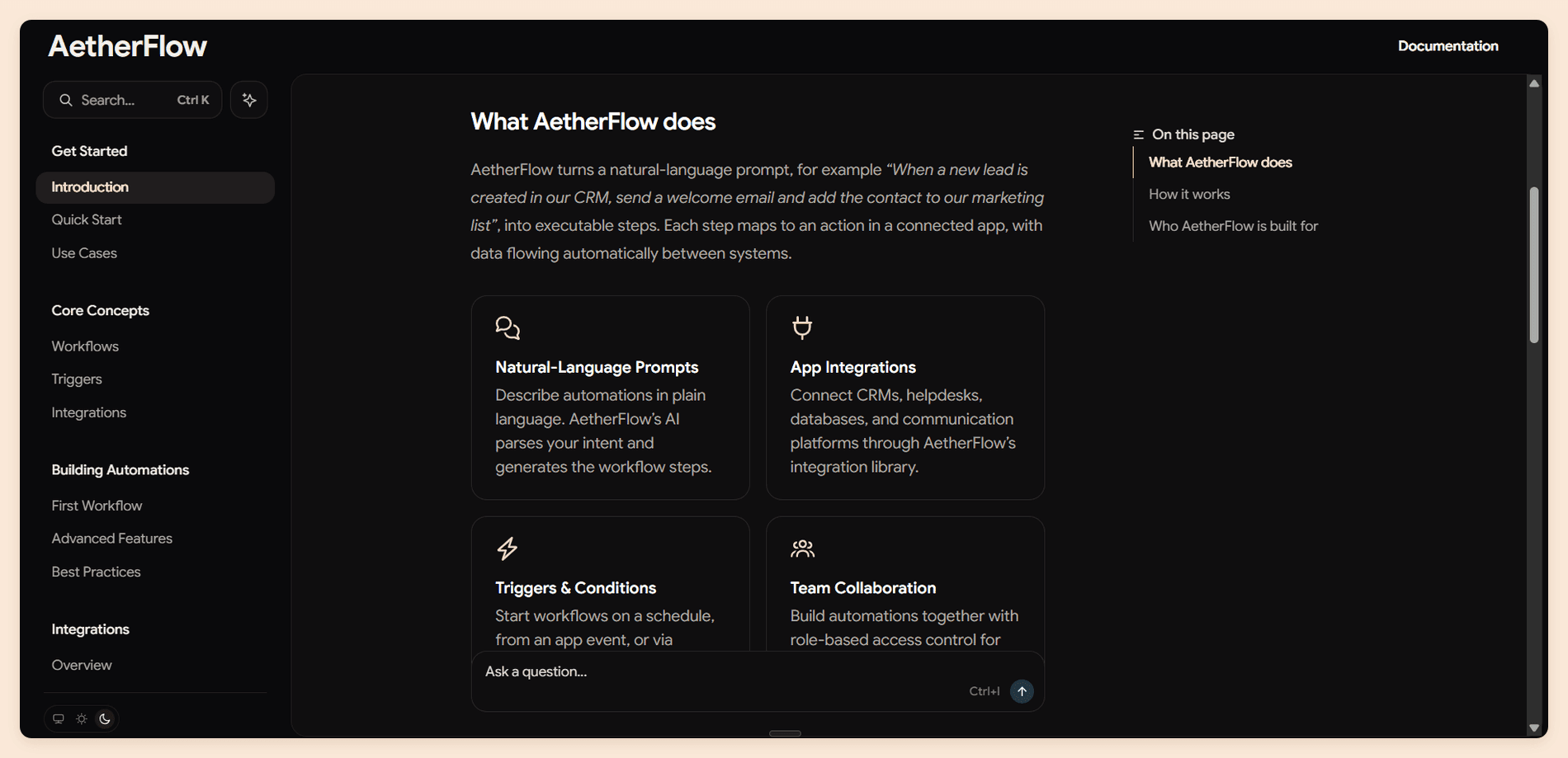
- Published design. Typography, dark mode, and components for tabs, callouts, cards, and steps work without anyone configuring them, and custom CSS is accepted on every plan.
- API playground. Interactive pages generated from OpenAPI 3.0 or 3.1, or AsyncAPI 3.0 for WebSocket channels, with code samples in 18 languages and prefilled test credentials.
- A collaborative editor. Visual and source modes, live cursors, comments, suggestions, and drag-and-drop navigation, with pull requests syncing into editor branches.
- A real local toolchain. The
mintCLI runs a preview server and catches broken links before they ship. Fern matches this. Most hosted platforms do not. - Assistant and agent. The assistant cites its sources, the agent opens pull requests rather than writing to the live site, and automations run it on content changes, code changes, or a schedule.
- Publishing for agents.
llms.txt, Markdown versions of pages, and an MCP server on every plan.
Pricing
| Plan | Price | What it includes |
|---|---|---|
| Starter | Free | Five editor seats, custom domain, web editor, API playground, no AI |
| Pro | $450/mo per deployment | Unlimited editor seats, the agent, the assistant, automations, preview deployments |
| Enterprise | Custom quote | SSO, SCIM, role-based permissions, advanced insights, performance SLA |
Mintlify repriced its credits recently: an answered reader question costs 25 and a docs update from an automation costs 250, while the editor and Slack agents draw none. Pro includes 10,000 credits a month, and new accounts get a 14-day trial with up to 5,000 credits. If you would like to read more about the full structure, read our Mintlify pricing guide. [4]
Pros and Cons
Pros
- Published design that needs almost no configuration
- Custom CSS on every plan, where Fern holds it for Enterprise
- A local CLI with preview and broken-link checking
- Unlimited editor seats on Pro, so headcount never moves the bill
- An API playground that justifies the platform on its own for API-first products
Cons
- Nothing between a free plan with no AI and $450 a month
- No SDK generation, so Fern's other half still needs a separate tool
- Pro's credits cover roughly 400 answered reader questions a month
- Each additional docs site is another Pro subscription
- Role-based permissions, audit logs, and SSO all need Enterprise
Why Choose Mintlify Over Fern
Choose Mintlify when the published site is the product and you want more control over how it looks without signing a contract to get it. Custom CSS is on every Mintlify plan, including the free one, where Fern reserves styling, custom React, and custom layouts for Enterprise. For a company whose documentation has to match a design system, that single row decides the evaluation.
The editor is the second reason. Both platforms have one, and Mintlify's does more: live cursors, comments, suggestions, and drag-and-drop navigation that commits back to the repository. Teams where writers outnumber engineers tend to find Fern's repository-first model harder to onboard onto.
What runs the other way is cost and coverage. Fern's documentation is free for 10 people where Mintlify's equivalent is $450 a month, and Fern's specification support is broader, with gRPC, GraphQL, OpenRPC, and Protobuf that Mintlify does not match. Neither generates SDKs. Our Mintlify alternatives guide covers where the $450 step starts to bite.
Verdict
Mintlify is the right Fern alternative when design control is the thing you cannot get a price for, and the wrong one if the free tier is why you are on Fern at all. Switching the AI on means jumping from nothing to $450 a month, a different kind of cliff rather than an absence of one.
If the jump from free to $450 is the problem, Documentation.AI puts 10 seats and 1,000 reader questions a month on Standard at $55, and custom CSS on every plan including the free one. The plans are listed in full.
3. Speakeasy
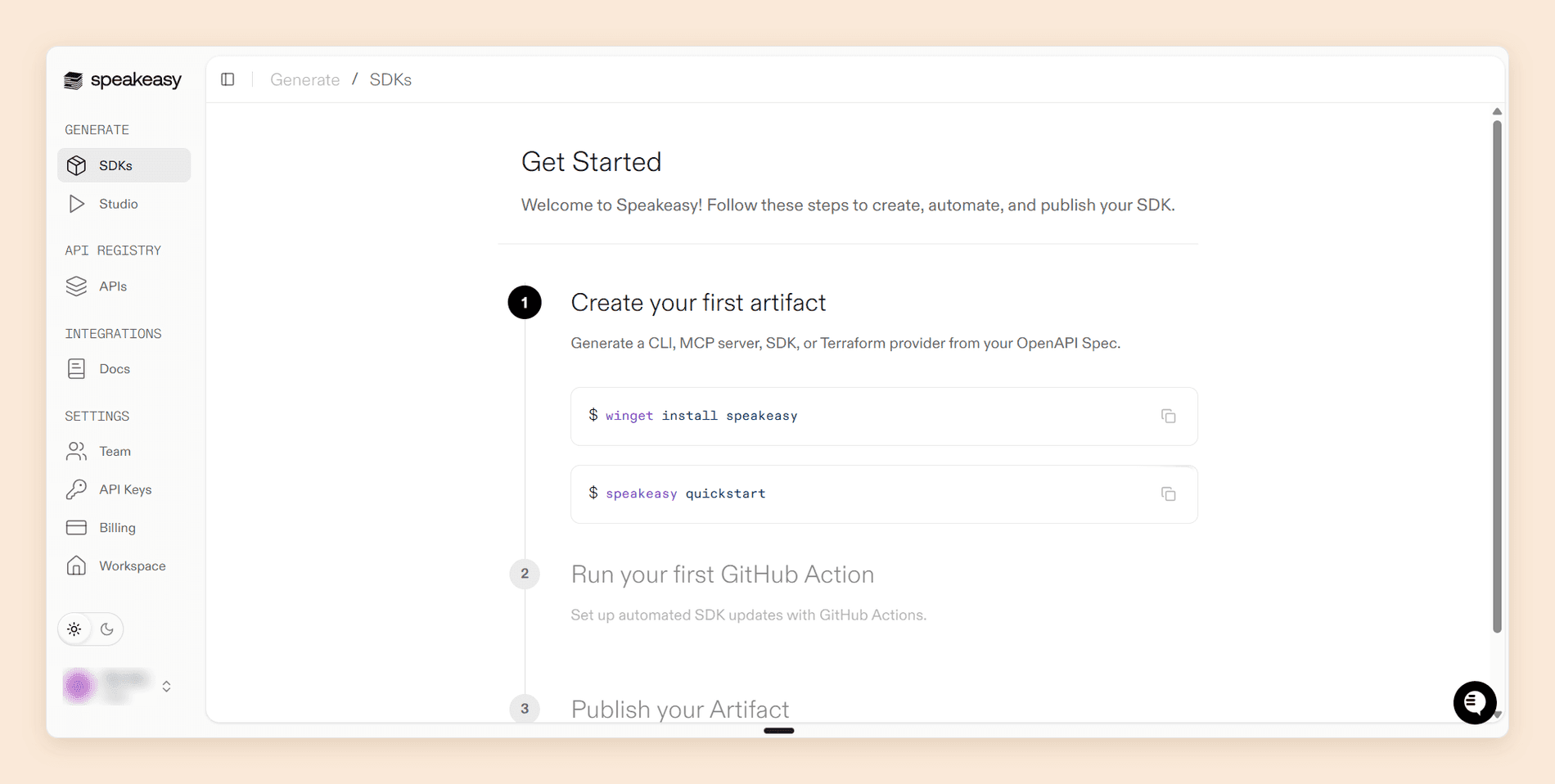
Speakeasy is the only tool on this list that replaces the half of Fern most teams actually buy. It generates idiomatic, type-safe client libraries from an OpenAPI specification, along with Terraform providers and command-line tools, and it has done that longer than anyone else still independent.
It is also the alternative with the largest caveat, because Speakeasy does not publish documentation sites. Pair it with a documentation platform and you have Fern's two halves from two vendors, usually with better SDKs and better docs than either half of Fern on its own.
Features
- SDK generation in 10 targets. TypeScript, Python, Go, Java, C#, PHP, Ruby, Swift, Unity, and Terraform, each with a dedicated generator rather than a shared template.
- Production behavior by default. Retries with exponential backoff, pagination helpers, webhook signature verification, structured error types, and OAuth 2.0 with PKCE, including token refresh and scope handling inside the SDK.
- Regeneration as a pull request. The generator runs in your CI pipeline, and a specification change opens a pull request with the diff, then publishes to npm, PyPI, Maven Central, NuGet, Packagist, RubyGems, Go modules, or the Terraform Registry.
- Code samples that feed your docs. Generated usage snippets are published as an OpenAPI overlay, with documented integrations for Mintlify, ReadMe, Scalar, and Bump, so your reference pages show real SDK calls rather than raw cURL.
- Customization that survives regeneration. Overlays, hooks, code regions, and patch files let you rename methods, change types, and add hand-written code without forking the generator.
- An MCP and agent layer. Speakeasy now generates MCP servers from the same specification, and sells a governance product around them.
Pricing
| Plan | Price | What it includes |
|---|---|---|
| Enterprise | Custom quote | The only plan the pricing page publishes, covering server creation, OAuth 2.1 with dynamic client registration, scoped RBAC, audit trail, real-time logs, and SLA-backed support |
Speakeasy repositioned around an AI control plane during 2026, and its pricing page now prices that product and routes every buyer to sales. [5] SDK generation is still a first-class product with its own documentation and customer list, but it carries no published rate card, so treat the cost as unknown until you have a quote.
Pros and Cons
Pros
- The deepest SDK generation on this list, with Unity and Terraform targets Fern does not offer
- Generated code samples that drop straight into Mintlify, ReadMe, Scalar, or Bump
- Three layers of generated tests, so SDK regressions fail before merge
- Customization that survives regeneration, including hand-written code
- Used in production by Vercel, Cloudflare, Mistral, and Honeycomb
Cons
- No documentation site, so this is half a Fern replacement by design
- No published pricing at all, and no free tier on the pricing page
- The company's marketing has moved to agent governance, which is a roadmap signal worth asking about
- Two vendors means two contracts, two renewals, and two support paths
Why Choose Speakeasy Over Fern
Choose Speakeasy when the SDKs are the reason Fern is on your shortlist and the documentation site is negotiable. Speakeasy covers Unity and Terraform, which Fern does not, and its customization model is the more mature of the two, with code regions and patch files that keep hand-written logic alive through regeneration.
Splitting the two halves also removes the cliff that sends most teams looking. Fern's free documentation plan stops at 10 editors, one site, and the theme you are given; a documentation platform bought separately keeps publishing prices past that point, and the SDK generator stops being the reason you cannot move your docs. The trade is real, though: two vendors, two invoices, and the code samples wiring becomes yours to maintain.
If neither half is negotiable and you want one bill, Fern is still the cleaner answer, and that is worth saying plainly.
Verdict
Speakeasy is the right Fern alternative when you are choosing an SDK generator rather than a documentation platform, and it is the strongest one available. Budget for a sales conversation and a second tool, and pair it with whichever documentation platform above fits the people who write your guides.
Splitting the two halves across two vendors? The documentation side is the half you can price today. Book a demo and we will size it against your seat count, your site count, and your reader traffic before you open the SDK conversation.
4. Redocly
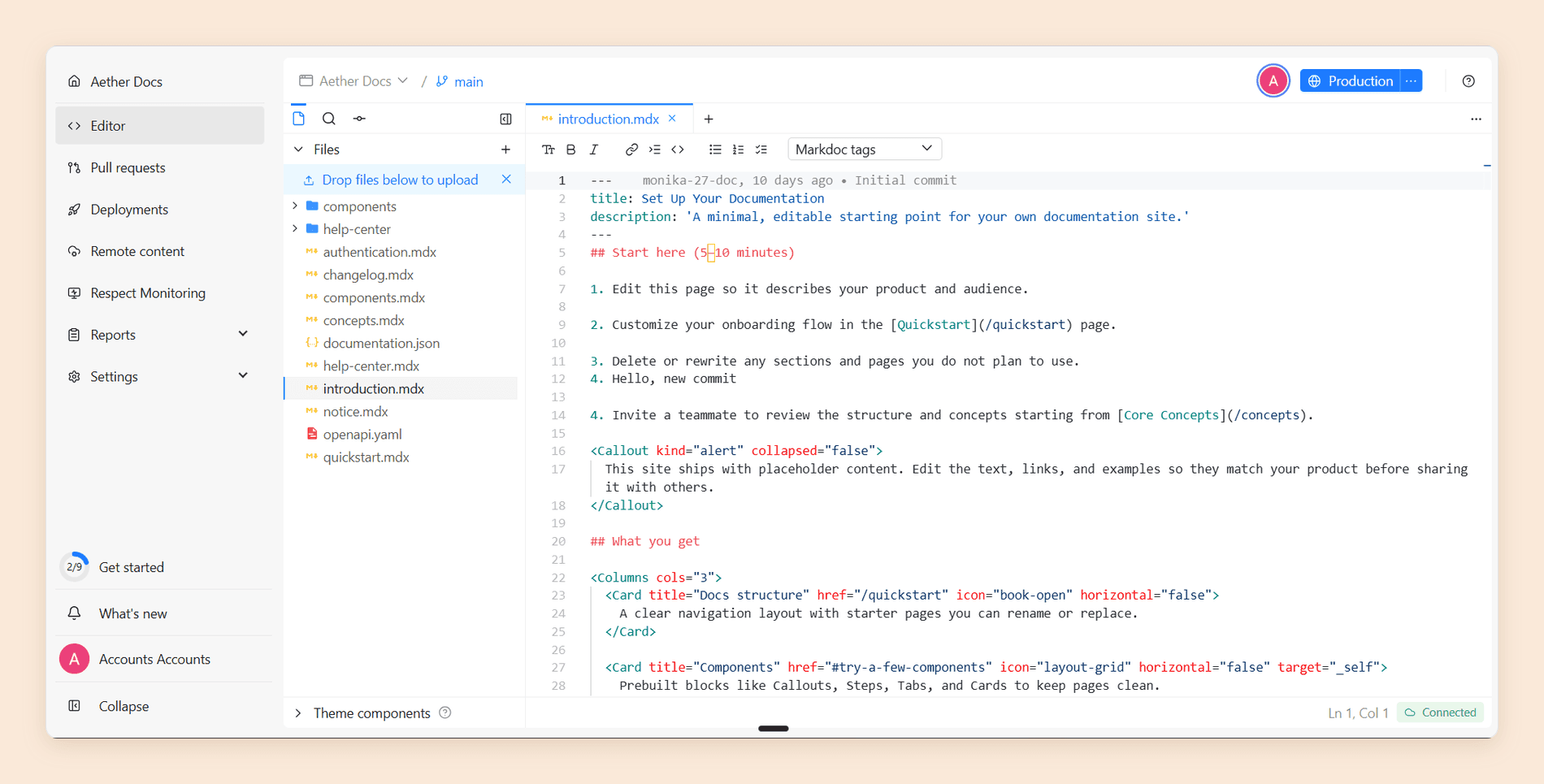
Redocly treats documentation the way Fern treats SDKs, as an artifact built from a specification and reviewed like code. Its Reunite platform gives you an in-browser editor, branches, pull requests, checks, and deploy previews, with an OpenAPI linter running on every change.
It suits teams whose problem with Fern is governance rather than price: an API reference several teams contribute to, where a bad merge is a customer-facing incident. We wrote a full Redocly review by building a reference on it and taking it through the whole review workflow.
Features
- Reunite. A hosted editor with the project file tree, raw Markdown and Markdoc editing, branches, commits, pull requests, and a Webview live preview.
- Modules you buy separately. Redoc renders the API reference, Revel adds Markdown pages, React components, and localization, and Reef adds an API catalog and scorecards. Reunite comes with all of them.
- OpenAPI governance. Linting rules, scorecards, and required checks that block a merge. Nothing else here enforces a style guide this hard.
- Page actions for agents. Published pages carry Copy for LLM, View as Markdown, Open in ChatGPT, Open in Claude, and Connect to Cursor or VS Code.
- Self-serve Enterprise. Unusually, Redocly publishes its Enterprise price and lets you buy it without a call, with volume discounts down the seat count.
Pricing
| Plan | Price per seat, per month | What it includes |
|---|---|---|
| Pro | $9 / $18 / $25 | One module, two modules, or all three as Realm. No AI |
| Enterprise | $22 / $44 / $59 | Same three module options, plus the AI assistant, analytics, and SSO |
| Enterprise+ | Custom quote | Negotiated terms on top of Enterprise |
Those are the annual rates, shown per month; paying monthly costs $10 / $20 / $28 and $24 / $48 / $66. Billing, Viewer, and reader accounts are free, so you pay for Owners, Members, and Committers. Every plan includes one project, and extra projects are $49 a month. Pages are capped at 100 on Pro and 500 on Enterprise, then $0.12 per page a month, and every API operation counts as a page. There is no free hosted plan, only a 30-day trial. Our Redocly pricing guide works through the seats, modules, and meters. [6]
Pros and Cons
Pros
- Pull requests, checks, and deploy previews as the native workflow
- An OpenAPI linter and scorecards that can block a merge
- A published Enterprise price with volume discounts, bought without a call
- Limits block builds rather than silently billing you an overage
- A public SLA that applies to self-serve plans
Cons
- The AI assistant is Enterprise only, and capped at 3,500 questions a month per organization
- No free plan, so evaluation is a 30-day trial
- Buying by seats times modules makes the invoice hard to predict
- Every API operation counts against the page limit
- No SDK generation
Why Choose Redocly Over Fern
Choose Redocly when several teams write the API reference and you need the review process to hold. Fern's editor commits through pull requests too, but Redocly adds linting rules, scorecards, and required checks that stop a merge. That is a different class of control.
The other reason is that Redocly publishes a price for the tier Fern will not. Enterprise is self-serve at $22 to $59 per seat a month, with SSO, analytics, and the AI assistant included, so the governance features Fern quotes for are on a rate card here. Weigh that against the AI cap of 3,500 questions a month for the whole organization, with no published way to raise it, and the absence of any free tier at all. The Redocly review covers where the seats-times-modules model gets expensive.
Verdict
Redocly is the right Fern alternative for an API reference that is contributed to by many and owned by a platform team. It is the wrong one for a small team that liked Fern because it was free, since the evaluation itself costs money and the AI worth having sits two tiers up.
5. ReadMe
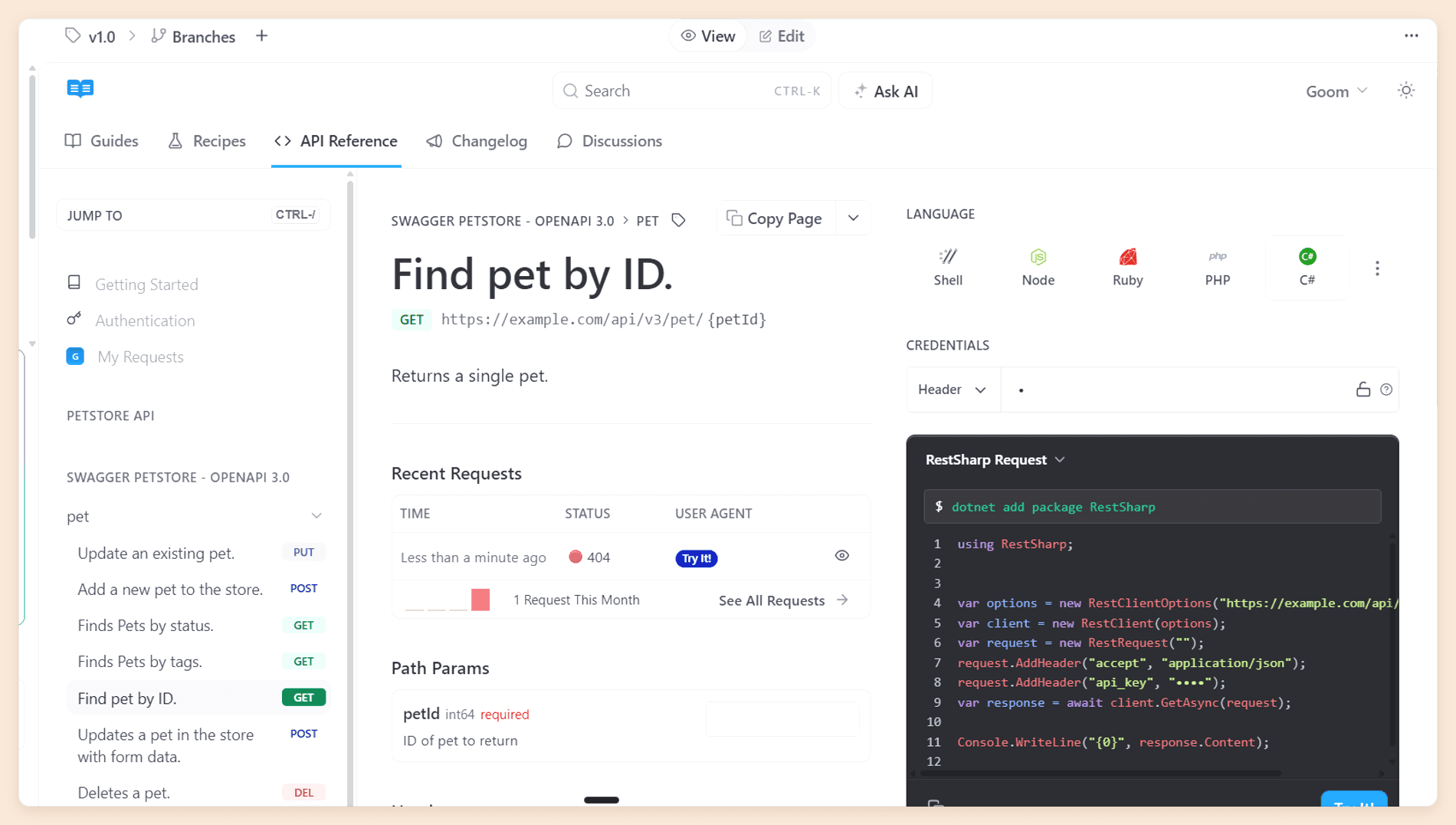
ReadMe builds developer portals rather than documentation sites. The difference is that a portal knows who is reading: readers see their own API keys in the docs, and their requests feed usage data back to you.
New projects in 2026 are created on ReadMe Refactored, a Git-backed platform that supports MDX, branching, and an integrated AI suite, with the API definition still at the center of the product. We wrote a full ReadMe review by building an API portal on it and testing every part of the platform.
Features
- Interactive API reference. Readers send real requests with their own key filled in, get snippets in the language they work in, and see a log of recent requests.
- Developer Dashboard. Ingests your production API logs and reports which endpoints each key calls and where integrations fail.
- Dual-mode editor. A visual surface and raw MDX over the same file, with drag-and-drop page ordering.
- AI suite. An inline agent that returns edits as an accept-or-reject diff, a Linter that turns a style guide written in prose into scored rules, Docs Audit across the whole site, and Ask AI for readers.
- Developer community content. Changelogs, recipes, and discussion forums, all on Pro.
Pricing
| Plan | Price | What it includes |
|---|---|---|
| Starter | Free | One teammate, custom domain, Git sync |
| Pro | $250/mo | Five teammates, then $20 for each additional one |
| Enterprise | Custom quote | Roles beyond Admin, on annual billing |
| Ask AI add-on | $150/mo | The full reader AI, with Ask AI Lite included on Pro |
| Developer Dashboard add-on | $100/mo | Five million API logs, then $10 per additional million |
Both add-ons sit on top of any plan, and every plan holds one project. Our ReadMe pricing guide prices every add-on.
Pros and Cons
Pros
- An interactive API explorer nothing else here matches
- Per-key endpoint metrics no other platform here reports
- The AI Linter, which checks every page against your own style guide
- Speakeasy publishes a documented integration, so generated SDK samples drop in
Cons
- The free plan holds one person, against Fern's 10
- Every teammate is a full Admin until Enterprise
- One project per plan, so a second product means a second plan
- Full reader AI and usage metrics are both paid add-ons
- For legacy projects, the upgrade to Refactored cannot be undone and removes Suggested Edits
Why Choose ReadMe Over Fern
Pick ReadMe when the API reference is the product and you need to know how developers use it. Fern's analytics tell you what readers asked the assistant; ReadMe's Developer Dashboard tells you which endpoints each customer calls and where their integration breaks. Different question, often the more valuable one.
The trade is cost and shape. Fern gives 10 people a documentation site for nothing, while ReadMe's free plan holds one person and its reader AI is a $150 add-on on top of $250. ReadMe also generates no SDKs, though it documents how to pull Speakeasy's generated samples in, and the two are a common pairing. Our ReadMe review prices the plan boundaries in full.
Verdict
ReadMe is the right Fern alternative for one API, a small team, and a real need for adoption data you cannot get anywhere else on this list. Past five people or a second product, the cost climbs faster than the requirement does, and for the wider API-first field our roundup of API documentation tools covers more of it.
Counting seats and add-ons? Unlimited editors, four projects, reader login, and role-based permissions sit on one $159 plan here, with no add-on stack on top. Start free and import your OpenAPI file to see what it costs at your headcount.
Open-Source and Free Fern Alternatives
The most searched follow-up to "Fern alternatives" is whether anything else gives away as much. The short answer is that Fern's free documentation plan is the most generous hosted tier here, and the open-source route is the only one that matches it on both halves, at the cost of engineering time.
Free Fern Alternatives
| Platform | Free plan | Editors | Custom domain | AI included |
|---|---|---|---|---|
| Fern | Free forever | 10 | Yes | Ask Fern and Fern Agent, 250 credits a month |
| Documentation.AI | Starter | Five | Yes | Assistant and agent, 10,000 one-time credits |
| Mintlify | Starter | Five | Yes | None |
| Speakeasy | None | Quote only | ||
| Redocly | None | A 30-day trial only | ||
| ReadMe | Starter | One | Yes | No reader AI without the $150 add-on |
Read the editor column first. Fern's free plan carries 10 people where the rest carry five or one, which is why teams stay on it longer than the feature list alone would suggest, and why the eleventh hire is so often the moment they start reading guides like this one.
Open-Source Fern Alternatives
Fern is partly open source, more than most of this category can say. The open-source path is also the only one that replaces both halves without a subscription.
For the documentation half:
- Docusaurus is Meta's MIT-licensed React framework, the most established choice, and the closest to Fern's MDX model.
- Starlight is Astro's documentation framework, MIT licensed, and suits teams already building on Astro.
- Material for MkDocs is an MIT-licensed theme for the Python-based MkDocs, and the simplest start for teams that already live in Python.
- Scalar is an open-source API reference and client under MIT, and the closest free equivalent to Fern's API explorer.
For the SDK half:
- OpenAPI Generator is Apache-2.0 and covers more languages than anything commercial, with output that needs more hand-finishing than Fern's or Speakeasy's.
- Kiota is Microsoft's MIT-licensed generator, strongest on .NET, Java, Python, TypeScript, and Go.
None of them ships a hosted reader assistant or an authoring agent, and none automates publishing to package registries the way Fern and Speakeasy do. Adding either means choosing, wiring up, and usually paying for a separate service.
Is Fern Open Source, and Can It Be Self-Hosted?
Partly, and not without a contract. The Fern CLI and its generators are Apache-2.0 on GitHub, with 3,779 stars, so you can run fern generate against your own specification and read exactly how the SDKs are produced. The hosted documentation platform, the dashboard, and the AI features are not open source, and self-hosting is listed as Enterprise. [1]
That split is worth understanding before you plan around it. Teams with a hard data residency requirement and a small budget end up self-hosting a framework from the list above and generating SDKs with the open-source CLI. It is a real option, and a slower one.
Free Plans for Open-Source Projects
Fern's own free plan covers most open-source projects without a program, and that is the simplest answer here. Beyond it, Mintlify's OSS program gives Pro free to non-commercial projects with a recognized open-source license that are not venture-backed or mainly maintained by a for-profit company, GitBook's Community plan gives open-source projects, non-profits, and education groups every Ultimate feature except SAML SSO, and Algolia's DocSearch program covers search for qualifying public technical documentation.
Fern Alternatives Compared
Plan prices sit with each platform above, so this table covers what you can do once you are on one. The two columns that decide most Fern evaluations are SDK generation, which only one alternative here replaces, and whether there is a published price above the entry plan at all.
| Platform | Visual editor | Git workflow | SDK generation | Reader AI | Published price above the entry plan |
|---|---|---|---|---|---|
| Fern | Yes | Repository-first | Yes, nine languages | Yes, 250 credits a month free | No, Enterprise only |
| Documentation.AI | Yes | Two-way, GitHub or GitLab | No | Yes, from the free plan | Yes, $55 and $159 |
| Mintlify | Yes | Two-way, GitHub or GitLab | No | Metered in credits, on Pro | Yes, $450 |
| Speakeasy | No | CI pipeline, pull requests | Yes, 10 targets | Not applicable | No, quote only |
| Redocly | Yes | Branches, pull requests, checks | No | Enterprise, capped per organization | Yes, per seat by module |
| ReadMe | Yes | Bi-directional sync | No | A $150 add-on | Yes, $250 |
What a Growing Team Pays
Headline prices hide most of the difference, so here is one team priced across the list: 10 people who edit, one public documentation site, and about 1,000 reader questions a month. All figures are annual rates, shown per month.
| Platform and setup | Monthly cost | What decides it |
|---|---|---|
| Fern Free | $0, then a quote | 10 editors fit, but 1,000 questions need 2,000 credits against 250 included |
| Documentation.AI Standard | $55 | 10 seats, and 1,000 questions use the full 10,000 credits |
| Mintlify Pro plus the 15,000-credit add-on | $595 | 1,000 answers use 25,000 credits, leaving none for automations |
| Speakeasy plus a docs platform | Quote, plus the docs bill | No published rate, and the documentation site is bought separately |
| Redocly Enterprise Realm, 10 seats | $590 | The AI assistant needs Enterprise, and it is capped at 3,500 questions |
| ReadMe Pro with five extra teammates and Ask AI | $500 | People are billed, and Ask AI publishes no question volume |
Read the Fern row twice. The team fits inside the free plan on every dimension except the one that matters most to a public documentation site, and Fern publishes no price for the next step, so the honest entry is $0 followed by a conversation.
Which Fern Alternative Is Right for You?
Match the platform to the thing that is pushing you off Fern, not to the longest feature list. If the problem is that growth and a sales call arrive together, Documentation.AI is the default. If it is design control you cannot get a price for, Mintlify. If the SDKs are what you are really shopping for, Speakeasy. If several teams contribute to one API reference and review has to hold, Redocly. If you need to know which endpoints each customer calls, ReadMe.
When to Stay on Fern
Stay if you need documentation and SDKs from one specification, one vendor, and one invoice. Nothing else here does both, and the free plan carries 10 editors, 1,000 pages, a custom domain, and working AI at no cost. No other hosted tier in this comparison comes close.
Stay too if your API is not plain REST. Fern's gRPC, GraphQL, OpenRPC, and Protobuf support is the broadest on this list, and replacing it usually means writing the parts your new platform does not cover.
What Moving Off Fern Involves
The content moves easily and the two halves separate awkwardly. Fern keeps your pages as MDX in a Git repository and reads a standard OpenAPI file, so both travel. Here is what each piece becomes:
| What you have on Fern | Documentation.AI | Mintlify | Speakeasy | Redocly | ReadMe |
|---|---|---|---|---|---|
| Pages (MDX in Git) | Import as MDX, edit in Git or the visual editor | Import as MDX, kept in Git | Not applicable, it publishes no site | Markdown or Markdoc in Git, on Revel | Converted to MDX on Refactored |
Navigation (docs.yml) | documentation.json | docs.json | Not applicable | sidebars.yaml | Categories and pages in the dashboard |
| Components (MDX components, custom React on Enterprise) | Card, Columns, Steps, Tabs, Callout, CodeGroup, ParamField, ResponseField, Mermaid, plus custom CSS on every plan | Mintlify's component set, plus custom CSS on every plan | Not applicable | Markdoc tags and React components, on Revel | Cards, Tabs, Accordion, and Columns built in, custom components otherwise |
| OpenAPI spec | Import generates the reference and the playground | Import generates the playground | Native, and the input to SDK generation | Native, plus linting and scorecards | Import generates the reference |
| SDK pipeline (nine languages) | Not covered, needs a separate generator | Not covered, needs a separate generator | The direct replacement, 10 targets | Not covered | Not covered, though Speakeasy samples drop in |
Read the bottom row first, because it decides the shape of the move. Four of the five columns are empty, which is the same finding the rest of this guide arrives at from every other direction.
The table leaves out two things. Package names and import paths are customer-facing, so if you publish Fern-generated SDKs, deciding whether they stay on Fern, move to Speakeasy, or move to an open-source generator outranks the documentation decision entirely. And URLs are yours to protect: keep existing paths wherever the new platform allows, redirect every one that changes, and check inbound links after launch.
Documentation.AI keeps the same MDX-in-Git shape and includes priority migration support on Pro, so the first three rows get shorter.
If you would rather see that priced against your own seat count, site count, and reader traffic before you move anything, book a demo.
Planning a move off Fern?
If you publish SDKs alongside your docs, or your specification covers more than REST, talk it through with our team before you move anything.
Documentation.AI Slack channel: Join here
Final Verdict
Fern is the best free documentation platform in this category and one of the two best SDK generators, sold under a plan structure that turns your eleventh hire into a procurement cycle. If both halves matter and you are comfortably inside 10 editors and one site, there is no reason to move.
For everyone else, the choice follows the reason for leaving. Mintlify is the pick when the published design has to match a brand and $450 a month is affordable. Speakeasy is the pick when the SDKs were always the point. Redocly fits an API reference that several teams edit under review, and ReadMe fits one API whose adoption you need to measure.
Documentation.AI is the best Fern alternative for the widest range of teams, because it answers the specific question Fern leaves open. Seats, projects, reader login, role permissions, and custom styling all carry published prices, and the reader assistant costs 10 credits a question on a free plan you can put in front of real traffic. For the growing team priced above, that is $55 a month against a quote.
The fastest way to check that is on your own documentation. Start free, connect your repository, and run the agent over your own pages, or read the full Fern vs Documentation.AI comparison if you want both platforms run through the same tests.
FAQs
1. What Is the Best Alternative to Fern?
Documentation.AI, for most teams. It offers a visual editor over Git-synced MDX, an AI agent, and a reader assistant from $55 a month, with published prices for the seats, projects, and reader login that Fern quotes for. Mintlify is the better pick for design control, Speakeasy for SDK generation, Redocly for governed API references, and ReadMe for per-key adoption data.
2. Is Fern Free in 2026?
Yes. Fern's documentation plan is free forever and includes 10 team members, one site, 1,000 pages, 2,000 page generations a month, a custom domain, the web editor, the API explorer, PDF export, password protection, Ask Fern, Fern Agent, and an MCP server, with 250 AI credits a month. [1] The only plan above it is Enterprise on a custom quote.
3. How Much Does Fern Cost Above the Free Plan?
Fern publishes no price above free. An eleventh editor, a second documentation site, multiple repository sources, custom CSS or React, localization, RBAC, JWT or SSO reader login, self-hosting, and removing Fern branding are all Enterprise. [1] SDK generation carries no published price on the pricing page either.
4. Which Fern Alternative Also Generates SDKs?
Speakeasy, and only Speakeasy on this list. It generates client libraries for TypeScript, Python, Go, Java, C#, PHP, Ruby, Swift, Unity, and Terraform, regenerates them as pull requests when your specification changes, and publishes them to package registries. It does not publish documentation sites, so it replaces one half of Fern rather than both.
5. Which Fern Alternative Is the Cheapest?
Open-source frameworks cost nothing to license, though you pay in engineering time and hosting. Among hosted platforms, Fern's own free plan is the most generous, and Documentation.AI Standard at $55 a month is the lowest paid plan with reader AI included. Mintlify has nothing between free and $450, and Redocly has no free tier at all.
6. How Much Reader AI Does Fern Include?
Fern's free plan includes 250 AI credits a month. Ask Fern costs two credits a message, so that is 125 reader answers, and a documentation update session in Slack costs 50 credits. [2] There is no published way to buy more credits, so a public documentation site with real traffic reaches Enterprise quickly.
7. Can You Migrate From Fern Without Losing SEO Rankings?
Yes, if you protect your URLs. Keep existing paths wherever the new platform allows, add a redirect for every path that changes, and check inbound links after launch. The content is MDX in Git and the API reference builds from a standard OpenAPI file, so most of the effort goes into rebuilding navigation and replacing Fern-specific components.
8. Who Are Fern's Main Competitors?
Beyond the five here, teams comparing Fern often look at GitBook for collaborative editing over Git sync, Theneo for API documentation with built-in AI, Archbee for multi-audience knowledge portals, and Stainless for SDK generation, though Stainless announced in 2026 that it is joining Anthropic.
Sources
- Fern. "Pricing." Fern. Accessed September 2026. https://buildwithfern.com/pricing
- Fern. "Fern Docs." Fern. Accessed September 2026. https://buildwithfern.com/learn
- Documentation.AI. "Pricing." Documentation.AI. Accessed September 2026. https://documentation.ai/pricing
- Mintlify. "Pricing." Mintlify. Accessed September 2026. https://www.mintlify.com/pricing
- Speakeasy. "Pricing." Speakeasy. Accessed September 2026. https://www.speakeasy.com/pricing
- Redocly. "Pricing." Redocly. Accessed September 2026. https://redocly.com/pricing
Past Fern's free plan?
A published price above the free tier
Seats, projects, reader login, and role permissions sit on the plan instead of behind a quote.
Start freeNo credit card required