5 Best Archbee Alternatives in 2026
Archbee builds a good knowledge portal at a low entry price, then sells the AI, the analytics, the API, and PDF export on top of it. This guide compares the alternatives on what arrives with the plan, what a free tier lets you test before you commit, and what it takes to move your content out.

Monika B. · GTM Engineer, Documentation.AI
Last updated
On this page
Archbee is a better product than its reputation suggests. Spaces keep customer guides, an API reference, internal runbooks, and support content apart while sharing one editor, the block library is genuinely rich, and $80 a month is among the lowest entry prices in the category.
Teams still go looking for an Archbee alternative, and almost never because of the editor. They leave because of the shape of the invoice. Seven capabilities most documentation teams treat as standard are sold as add-ons, the step from Growing to Scaling is more than four times the price, and there is no free plan to work any of that out on before you pay.
This guide ranks five alternatives in the order most teams should look at them, then covers the free and open-source options, a side-by-side comparison, and how to decide. Prices are the annual rates each vendor publishes.
Quick Verdict (TL;DR)
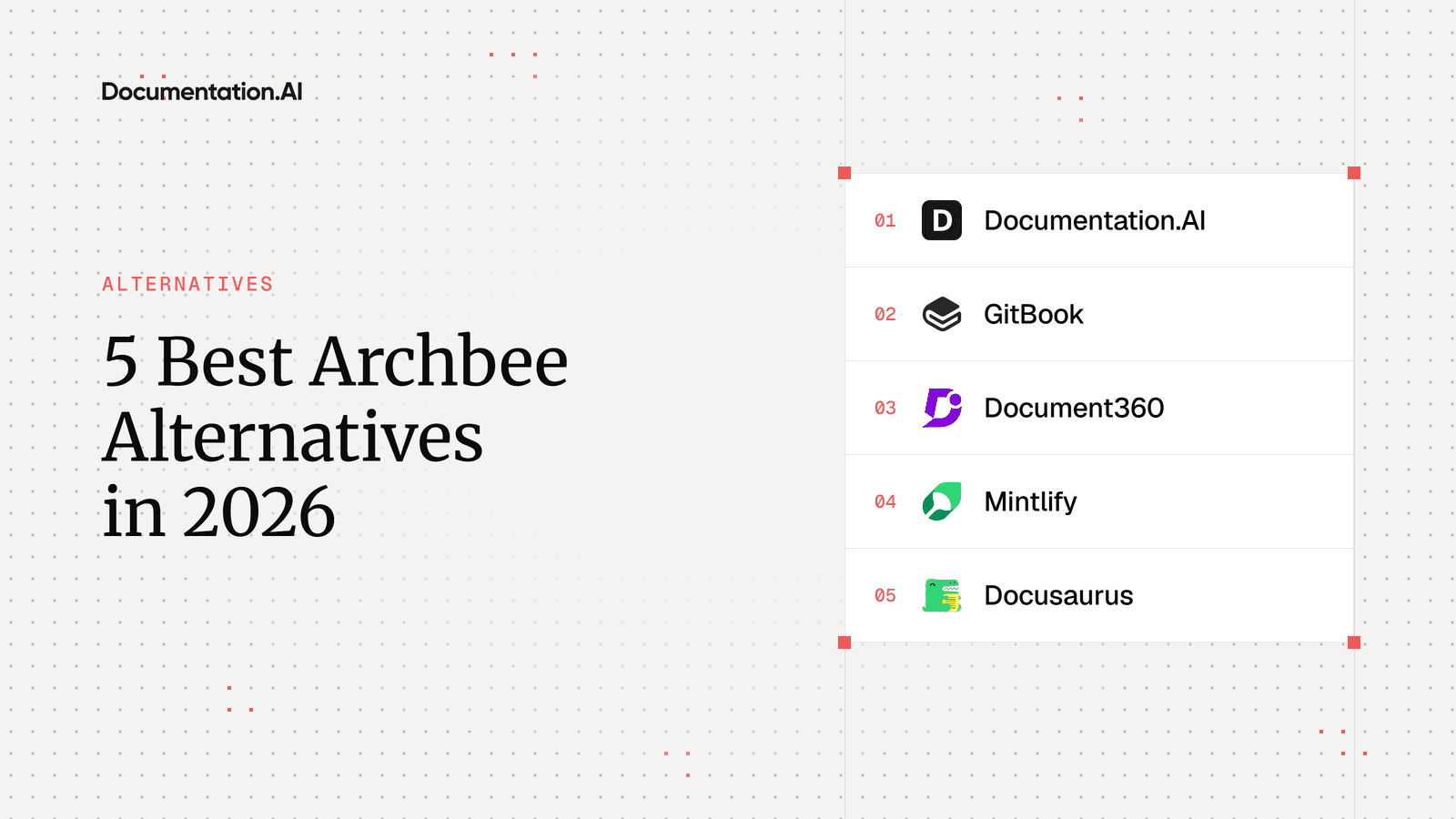
Documentation.AI is the best Archbee alternative for most teams in 2026. It does the same core jobs, a visual editor over Git-synced content, an AI agent, and an assistant on the published site, and it puts the AI, the analytics, and the API inside the plan rather than beside it. Standard starts at $55 a month billed annually, and the AI works on the free plan. The other four each win a narrower job:
- Documentation.AI: best overall, and the pick when the add-on stack is what pushed you off Archbee
- GitBook: best editor for a single collaborative docs site, with a free plan to judge it on
- Document360: best for a governed support knowledge base with real approval workflows
- Mintlify: best for API-first developer docs that live in a repository
- Docusaurus: best free, open-source, self-hosted option
Why Look for Alternatives to Archbee?
Few teams replace Archbee because the portal disappoints them. They look elsewhere when the total cost stops matching the headline price, when reader AI turns out to be beta software behind a token meter, or when a 14-day trial is not long enough to answer either question. Both sides are worth weighing before you move anything.
What Archbee Does Well
Nothing in Archbee is thought through better than the space model. A space groups documents under one scope and can stay private or publish to its own domain, so a company with four audiences runs one platform instead of four, and spaces are unlimited on both paid plans. [1]
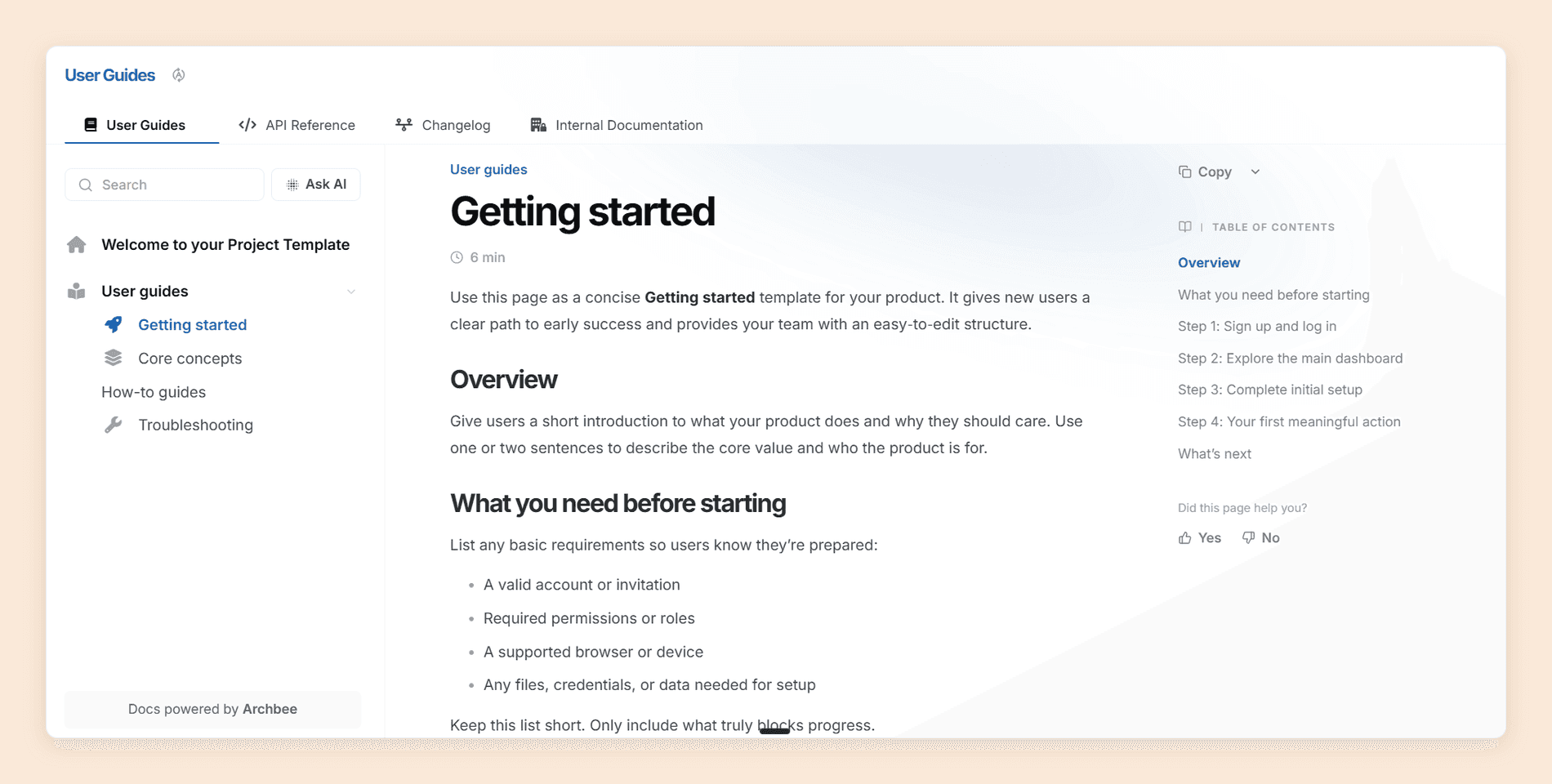
The editor earns its place too. Blocks are grouped into Basic, Media, Developer, and Embed tabs, and the Developer tab is what separates Archbee from a general wiki: tabbed code blocks, Mermaid, TeX, an API endpoint block, OpenAPI import with a working Try It console, and a GraphiQL explorer. [2]
Git sync runs two ways across GitHub, GitLab, and Bitbucket, with the repository as the source of truth, so an edit made in Archbee opens a pull request rather than writing to your code. [2] Shadow docs go further than anything else here: point a shadowDocs field in .archbee.yaml at parts of a synced repository and Ask AI answers from those files without them ever appearing on the portal. [2]
Machine-readable publishing comes with both paid plans rather than as a purchase. Every published portal gets an MCP server, llms.txt, llms-full.txt, and a Markdown version of each page. [1] A third layer, WebMCP, is starting to appear beside those: an in-page browser API still in origin trial, and it replaces neither the server nor the files. Our guide to AI documentation for agents and LLMs covers how agents use each layer. A custom domain starts on the entry plan, which several competitors reserve for a tier or two up.
Where Archbee Falls Short
The plan is about half the bill. Seven capabilities are add-ons: AI at $16 a month on Growing and $40 on Scaling, then Insights, QnA, the app widget, public API and CMS MCP access, whole-portal PDF export, and static HTML export at $80 a month each. [1] A Growing team that buys all seven reaches $576 a month, which is more than Scaling's base price and still buys none of Scaling's features. Our Archbee pricing guide works through the stack in full.
Reader analytics is a separate $80 purchase. The entry plan publishes a site and tells you almost nothing about how it is read. Query logs record what people searched for, but views, average time, visits, and bounce rates sit in the Insights add-on. [1]
Reader AI is metered in tokens with no published conversion. Writer usage and reader questions draw on the same pool, and Archbee publishes no tokens-per-answer figure, so you cannot forecast the bill before you run the trial. [1] Its own documentation still labels the AI beta. [2]
The step from $80 to $350 holds most of what teams need next. The review workflow, reusable snippets and variables, versioning, localization, search analytics, space links, custom CSS, and removing the Archbee mark from the footer all arrive together on Scaling. [1] If you need exactly one of them, you buy all of them.
There is no free plan. A 14-day trial and a refund inside the first paid month are the whole evaluation window, which is enough to judge an editor and not enough to judge whether an assistant answers your customers' questions. [1]
No raw source view in the app. Archbee supports Markdown and MDX fully over Git sync, so this is not a content limitation. [2] It is a workflow one: an engineer who thinks in files has to leave the tool to work the way they prefer.
The Archbee review scores the whole product.
You can test this list without a trial clock. Start free carries five editors and the AI Assistant, an Archbee Markdown export imports as it is, and your portal keeps serving readers while you try it.
1. Documentation.AI
Documentation.AI sells no add-ons. The assistant, the agent, analytics, API access, and PDF export are all plan features, with PDF export arriving on Pro. Archbee prices the same set at $256 a month on top of a subscription, and there is a free plan to test the assistant and the agent on before anyone approves a budget.
The multi-audience setup Archbee teams are used to carries across, as projects on Standard and Pro and dimensions inside them. So does the way people write: a visual editor for writers, MDX through two-way Git sync for engineers, and an AI agent taking on drafting, restructuring, and upkeep.
Features
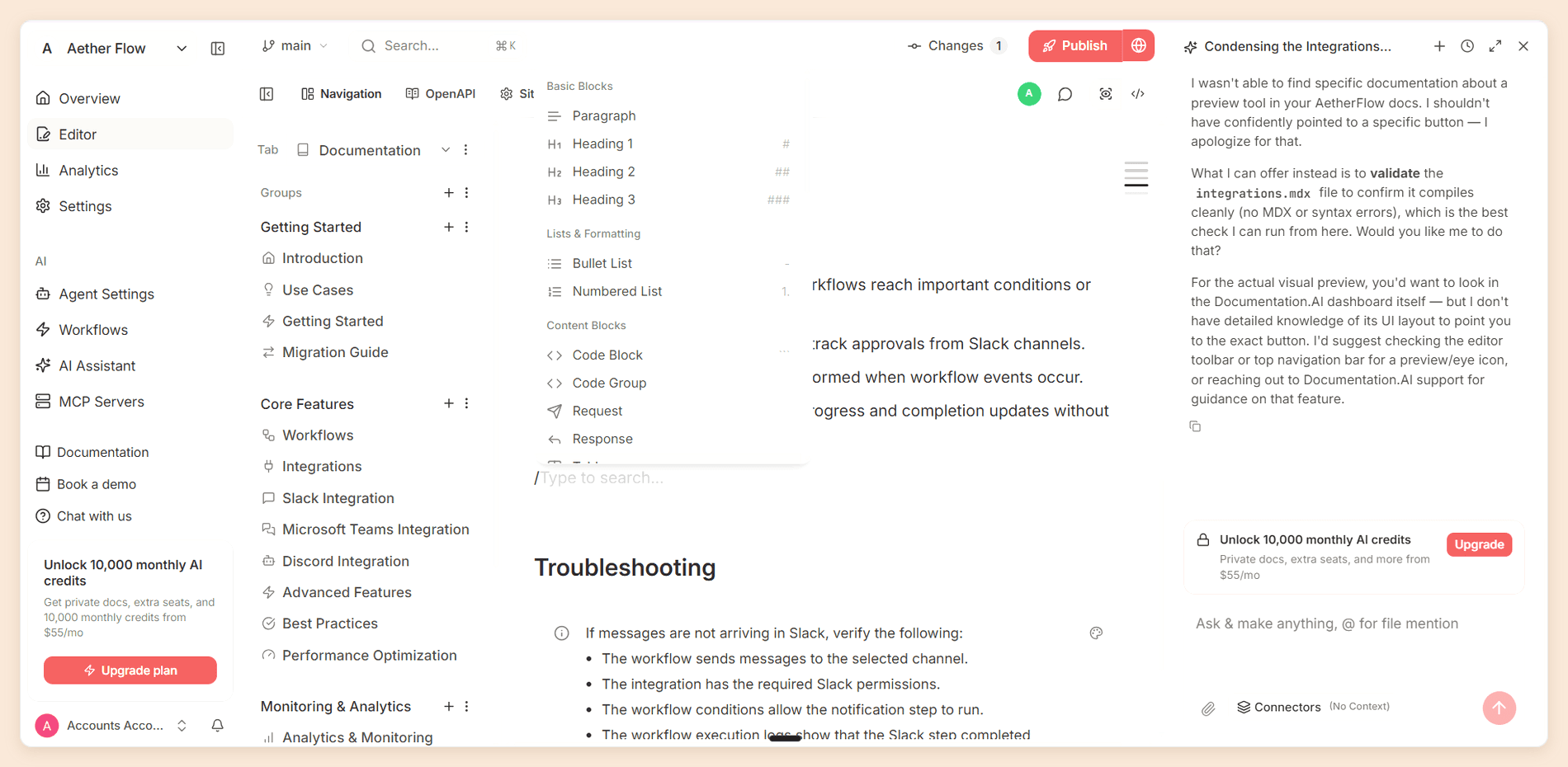
- One source, two ways in. A visual editor with slash commands in the browser, or MDX in Cursor or VS Code through bidirectional sync with GitHub or GitLab. Setup does not require a Git provider at all.
- AI Documentation Agent. Drafts and edits pages, and restructures navigation while keeping existing URLs working. It pulls context from GitHub, Jira, Confluence, Linear, Notion, HubSpot, and Plain, so pages get written from where the product work happened.
- AI Assistant with confidence scores. Answers readers with citations and scores each answer. The low-confidence questions become a list of pages your documentation is missing, and AI answer analytics come with every plan. [3]
- AI Automations. The agent runs on a schedule or after a pull request merges, with templates for broken links, style enforcement, changelogs, and API sync.
- Embedded Docs. Docs pages, the assistant, a Help button, or an Ask AI bar inside your own product, on every plan. Help links turn any button in your app into one that opens the right page beside it. This is the job Archbee's app widget add-on does.
- API playground generated from your OpenAPI spec, on every plan.
- Publishing for AI tools.
llms.txt, a reader MCP server, and an authoring MCP server that lets your team write docs from Cursor or Claude Code. - Access control. Password protection on Standard, private docs with JWT or OAuth login and role-based permissions on Pro, and SSO with SCIM on Enterprise. [3]
Pricing
| Plan | Price | What it includes |
|---|---|---|
| Starter | Free | Five editor seats, one project, 10,000 one-time credits |
| Standard | $55/mo billed annually, $69 monthly | 10 seats, two projects, 10,000 credits a month, password protection |
| Pro | $159/mo billed annually, $199 monthly | Unlimited seats, four projects, 30,000 credits a month, advanced analytics, PDF export, priority migration support |
| Enterprise | Custom quote | SSO with SCIM, and branding removed from the footer |
A reader question costs 10 credits whatever the length of the answer, and an agent task costs between five and 320. Half of unused credits roll over. There is no overage billing, so running out pauses the AI until the next cycle instead of adding to your invoice. The Documentation.AI pricing page lists every plan in full. [3]
Pros and Cons
Pros
- Analytics, the API, PDF export, and the AI are plan features rather than purchases
- The assistant and the agent both work on the free plan
- In-product help on every plan, where Archbee sells its widget separately
- A published cost per reader question, so the AI bill can be modeled in advance
- Unlimited editors on Pro, where Archbee bills per head from the sixth person
- Versioning, localization, and custom CSS on every plan
Cons
- No local CLI, so previews build in the cloud
- AI-drafted pages still need human judgement and a check before they publish
- Removing the footer branding requires Enterprise
- No reader Q&A section, where Archbee sells one as an add-on
Why Choose Documentation.AI Over Archbee
You can evaluate it properly. Archbee gives you 14 days and a refund window; Documentation.AI's free plan has no time limit, five editor seats, and 10,000 credits, which is enough to run the agent across your own pages and put the assistant in front of real readers before a budget conversation starts.
The rest is where each vendor draws the line between the plan and the invoice. Analytics, public API and CMS MCP access, PDF export, and reader AI cost an Archbee team $256 a month on top of its plan, and putting the docs inside your product adds another $80. Here they are plan features: reader AI, analytics, and in-product docs from the free plan, API access from Standard, and PDF export from Pro. Versioning, localization, custom CSS, and reader login sit on Archbee's $350 tier and sit on Standard or Pro. And the AI meter is legible: 10 credits per reader question against a token pool Archbee publishes no conversion rate for.
Moving across is mostly a content job, since Archbee exports Markdown per document, per space, or as a whole-organization zip. The work is rebuilding Archbee's MDX components and mapping your old URLs to redirects, and Pro includes priority migration support. Our Slack channel is the quickest place to sanity-check a move.
Verdict
Documentation.AI is the most complete Archbee alternative and the easiest to budget. Choose it when the add-on stack is what pushed you off Archbee, when reader AI needs to work rather than sit in beta, or when you want to see a platform run on your own documentation before you pay for it. Archbee keeps the edge on its in-product widget and on shadow docs, which nothing else here offers. Our Archbee vs Documentation.AI comparison builds the same documentation on both platforms if you want the two read side by side.
2. GitBook
GitBook is built on the same idea as Archbee, a block editor that non-technical people adopt without training, sitting on top of a real Git workflow. It is the more polished version of that idea, and it charges for it differently.
Writers work in a Notion-like editor, developers commit Markdown from their own tools, and change requests bring pull-request-style review to people who have never opened a terminal. We wrote a full GitBook review by building a documentation site on it and testing the editor, the sync, and the Assistant.
Features
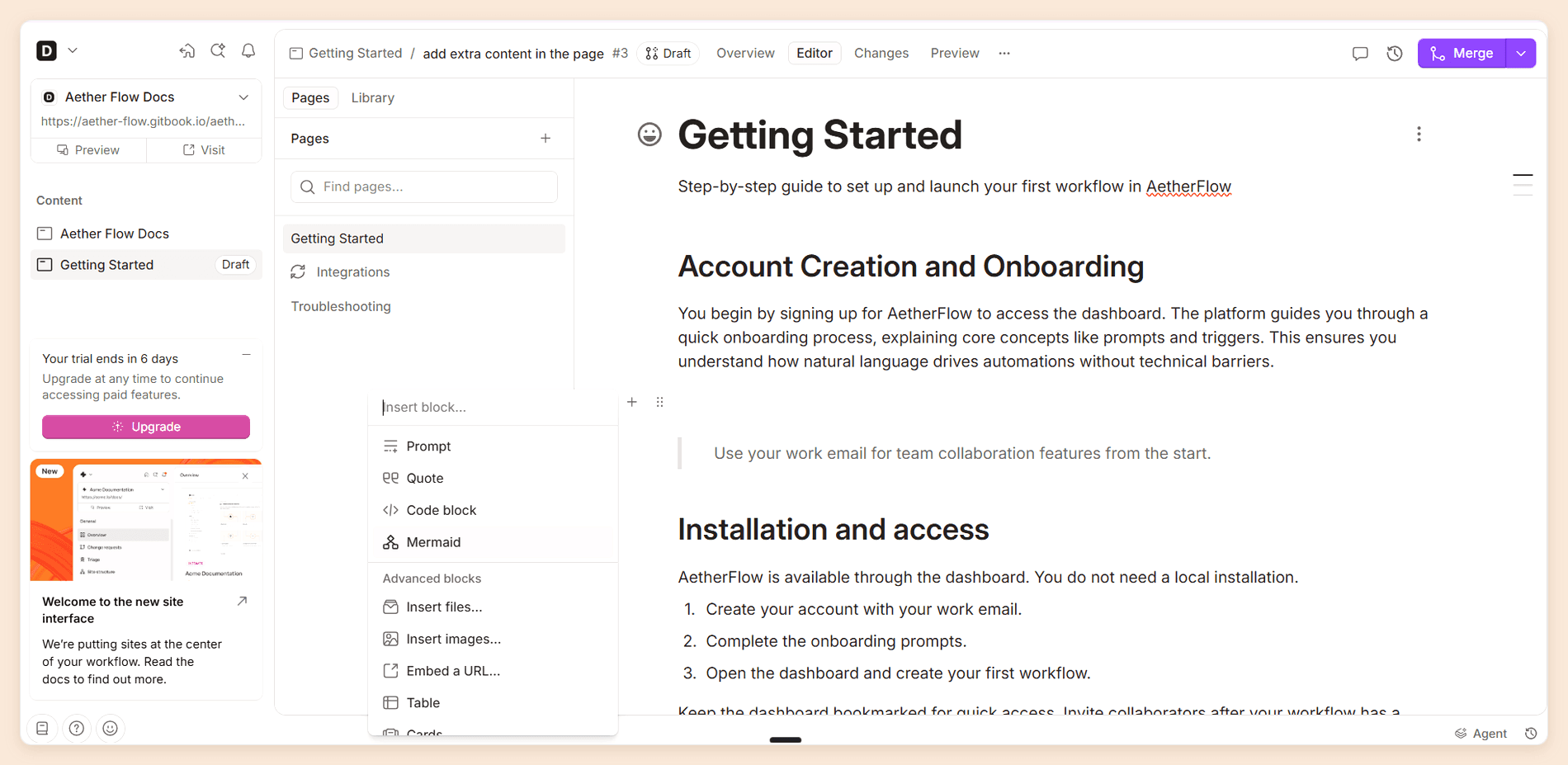
- Block editor. Slash commands, callouts, tabs, cards, code groups, reusable content, and drag-and-drop restructuring that keeps links intact.
- Two-way Git Sync. Commits to GitHub or GitLab appear in the app, and edits in the app commit back, with rendered previews posted on pull requests.
- Change requests. Draft, review, and merge without touching Git, on every plan including the free one.
- OpenAPI blocks. Imports Swagger 2.0 and OpenAPI 3.0 or 3.1, refreshes a linked spec every six hours, and runs its "Test it" panel on Scalar.
- GitBook Agent. Writes, edits, and reviews a page for outdated content inside a change request.
- Reader AI. AI search answers in the search box on Essential, and the full Assistant sidebar, AI insights on unanswered questions, and external sources such as Zendesk, Intercom, and Linear on Ultimate, all paid for from a monthly allowance of AI credits.
- A broad free plan. Git Sync, preview deployments, page view analytics, site variants for versions and languages,
llms.txt, and an MCP server.
Pricing
| Plan | Price | What it includes |
|---|---|---|
| Free | $0 | One user, no custom domain, GitBook Agent capped at 10 messages a week |
| Essential | $65 per site/mo, plus $12 per user | AI search answers in the search box, 2,000 AI credits a month, about 100 answers |
| Ultimate | $249 per site/mo, plus $12 per user | The full Assistant, 10,000 AI credits a month, about 500 answers, then $0.20 an answer |
| Enterprise | Custom | The only tier with SAML SSO |
Sites and users are billed together, so both dimensions move the invoice, though members are counted once across the organization rather than per site. Our GitBook pricing guide prices a second site. [4]
Pros and Cons
Pros
- A block editor writers pick up without training
- Page view analytics on the free plan, where Archbee sells them at $80 a month
- Preview deployments,
llms.txt, and an MCP server on the free plan - A free Community plan with Ultimate features for open-source and non-profit projects
Cons
- Billed per site and per user at the same time, where Archbee's spaces are unlimited
- The full Assistant sits on Ultimate, and every answer past the monthly credits costs $0.20
- No custom CSS, HTML, or JavaScript on published sites
- A "Powered by GitBook" link that stays on every plan, Enterprise included
- No direct Markdown export, only a sync to an empty repository
Why Choose GitBook Over Archbee
Choose GitBook when the editor decides whether your team contributes and you want to prove that before paying. Both products are block editors aimed at non-technical writers, and GitBook's is the more refined of the two, with a free plan you can run a real pilot on rather than a two-week trial.
Governance is the other reason. Archbee's review workflow starts at $350 and its in-app branching is a beta that only works on spaces created with it enabled, so turning it on after a migration is not an option. [2] GitBook's change requests work on every plan, free included, and they are finished software.
Where the comparison turns is scale and design. Archbee's spaces are unlimited on an $80 plan while GitBook charges per site, so a multi-product estate gets expensive fast, and neither platform allows custom CSS on its published site. The GitBook alternatives guide covers where the per-site model starts to bite. Our Archbee vs GitBook comparison builds the same documentation on both and prices the add-ons against the multipliers.
Verdict
GitBook is the best Archbee alternative when one collaborative site is the whole job and you want to test the editor properly first. It gets harder to justify the moment you add a second product or reader AI, because each of those moves a billing dimension Archbee leaves flat. Teams that want the editing experience without either vendor's pricing model usually end up comparing both with Documentation.AI.
Leaving Archbee?
Test the AI before the invoice
The assistant, the agent, and analytics come with the plan instead of arriving as separate line items.
No credit card required
3. Document360
Document360 approaches documentation from the support desk rather than the repository. It is a hosted knowledge base for help centers, internal knowledge, and API references, built around editorial control.
It is the platform to look at when the reason for leaving Archbee is governance: review, approval, and sign-off that hold up in an audit rather than a workflow that arrives at $350 with a beta attached.
Features
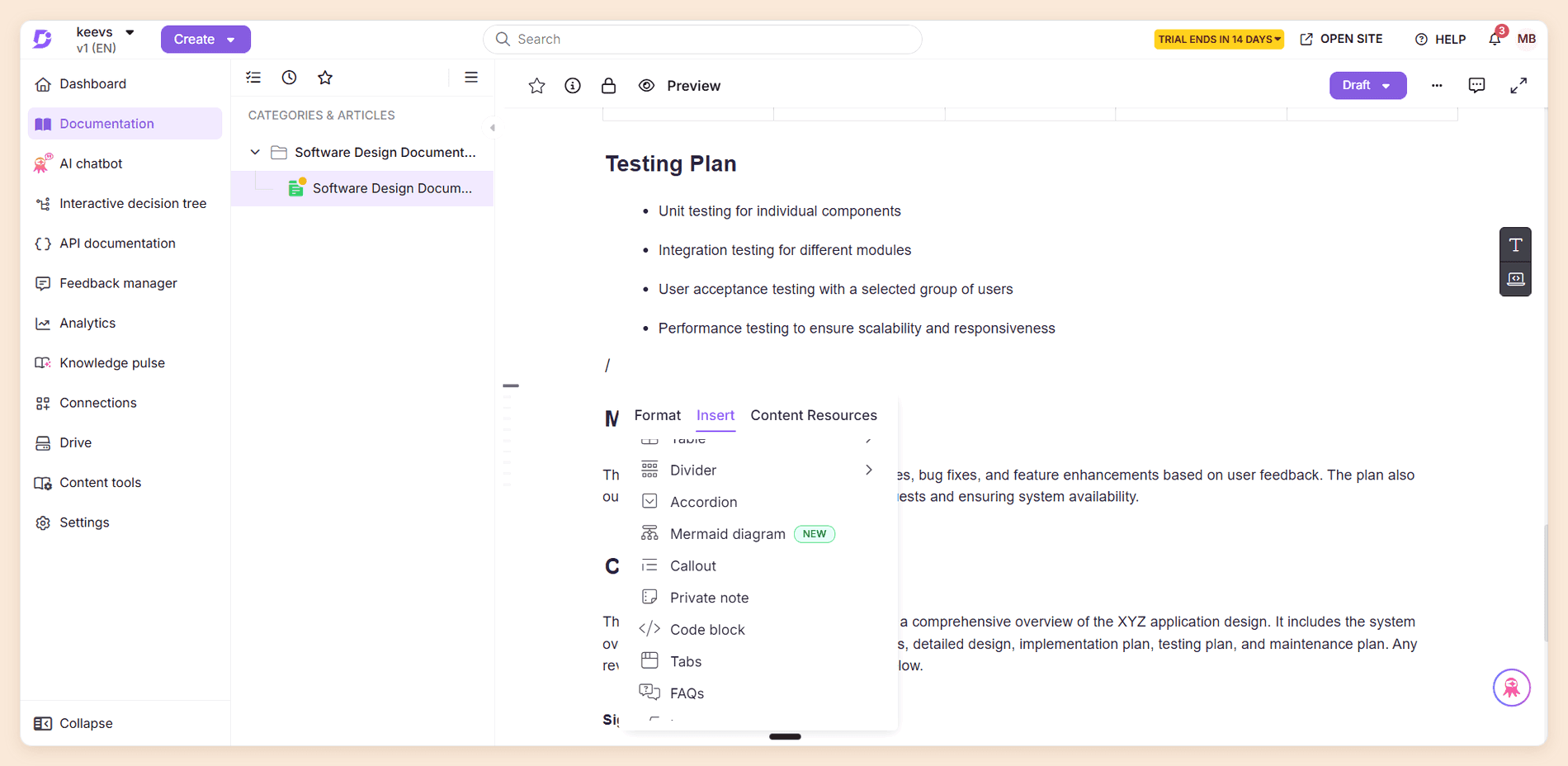
- Two editors. An advanced WYSIWYG editor with slash commands, or a Markdown editor, with collaborative editing on both.
- Workflow designer. Custom review stages between draft and published, with articles assigned automatically at each stage.
- Review reminders. Articles past their review date are marked stale, so outdated help content surfaces on its own.
- Flexible access. Public, private, or mixed knowledge bases, with reader login through SAML, OpenID Connect, or JWT.
- Eddy AI. A writing agent that drafts from a prompt, a recording, or a transcript, Ask Eddy answers on the published site, and an AI chatbot add-on that also learns from past Zendesk or Freshdesk tickets.
- Search and AI analytics. Searches that returned nothing, and why the assistant could not answer.
- Security and hosting. SSO, SCIM, IP restriction, a choice of datacenter region, and SOC 2 Type II on every plan.
- Publishing for AI tools. An MCP server and an automatically generated
llms.txt.
Pricing
| Plan | Price | What it includes |
|---|---|---|
| All tiers | Quote only | Priced on team accounts, workspaces, languages, SSO needs, public or private access, and AI usage |
| Free trial | $0 for 14 days | Every feature, with no free plan afterwards |
| AI chatbot add-on | Extra | Ticket-aware answers with escalation |
| AI Premium Suite add-on | Extra | Screen capture, step-by-step guides, interactive demos, video |
Document360 publishes no prices and, since mid-2026, no plan names. Ask Eddy is metered at 10 credits a question, and translation is metered per character. [6]
Pros and Cons
Pros
- The deepest editorial governance of any platform here
- Review reminders that flag stale content automatically
- Public, private, and mixed access in one knowledge base
- A chatbot that can learn from past support tickets
- Data residency choice and SOC 2 Type II on every plan
Cons
- No published pricing and no free plan, so evaluation starts with a sales call
- GitHub sync runs one way and leaves synced articles read-only
- Reader AI is metered in credits, and the chatbot costs extra
- Shaped like a help center rather than a developer docs site
Why Choose Document360 Over Archbee
Choose Document360 when a support or operations team owns the documentation and articles need sign-off before they publish. Archbee has a real Reviewer role and a Review Space view, but both sit on the $350 plan, and the branching system behind them is a beta restricted to newly created spaces. [2] Document360's workflow designer models who writes, who checks, and who signs off as finished software, and pairing that with an assistant is one of the more direct ways to cut ticket volume with documentation.
What you give up is the Git half of Archbee. Content synced from GitHub arrives read-only with no revision history, so a team that has been treating its repository as the source of truth has to stop.
Verdict
Document360 is the right Archbee alternative for governed support knowledge bases in regulated or audited environments, and the wrong one for teams that came to Archbee for its Git sync and its Developer block tab. If your engineers want their docs next to their code, this will feel like a step backwards.
4. Mintlify
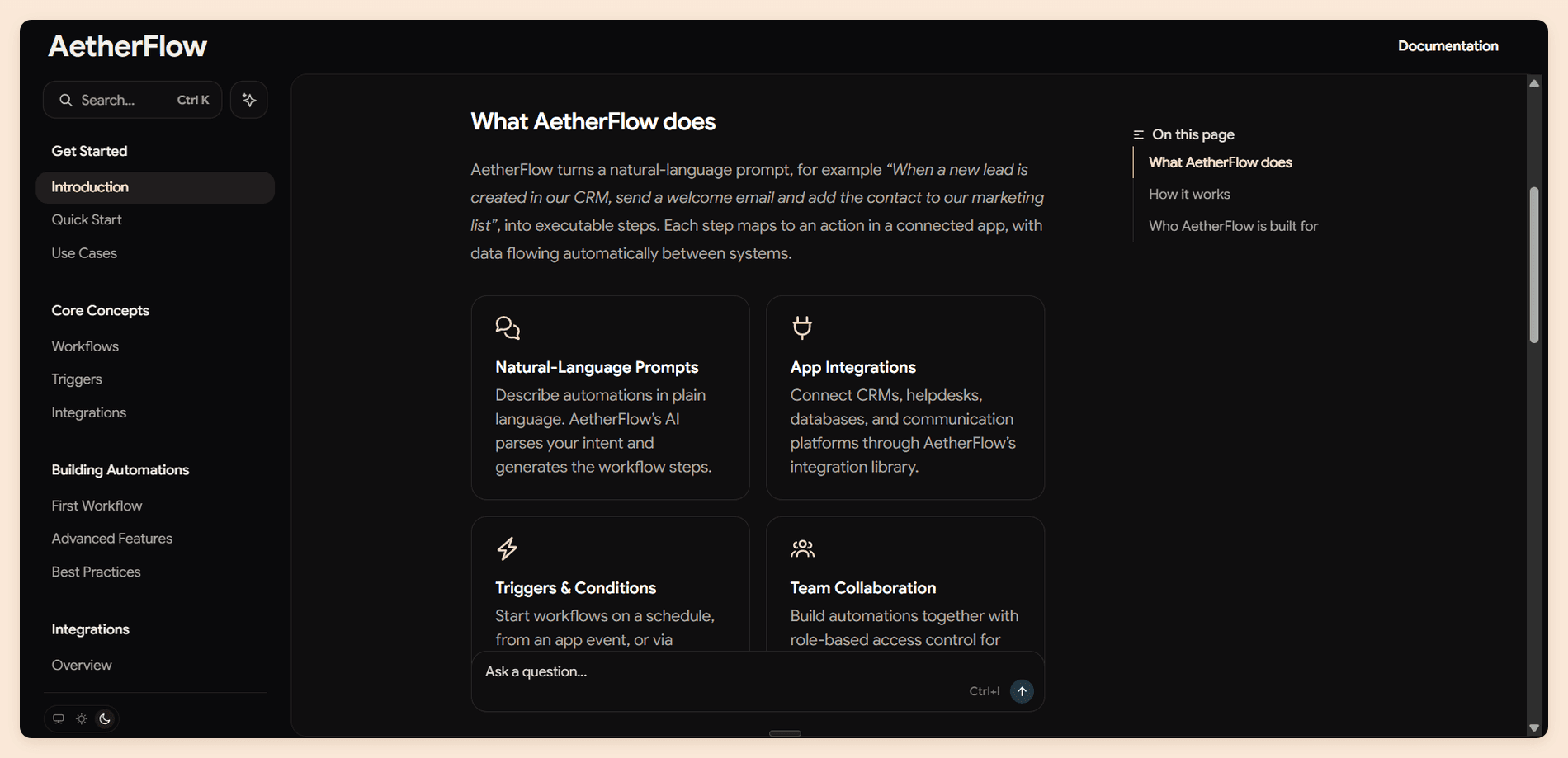
Mintlify is the opposite answer to the same problem. Where Archbee is a hosted application with a Git workflow attached, Mintlify is a Git repository with a hosted application attached, and content is MDX with a docs.json file describing the site.
It is the pick when the reader is a developer and the documentation site is part of the product, and when the missing in-app source view was the thing that irritated your engineers. We wrote a full Mintlify review by building a sample documentation site on it and testing every part of the platform. Our Archbee vs Mintlify comparison builds the same documentation on both and prices the result.
Features
- Published design. Typography, dark mode, and components for tabs, callouts, cards, and steps work without anyone configuring them.
- API playground. Interactive pages generated from OpenAPI 3.0, 3.1 and 3.2, or AsyncAPI 3.0 for WebSocket channels, with code samples in 18 languages and prefilled test credentials.
- A collaborative editor. Visual and source modes, live cursors, comments, suggestions, and drag-and-drop navigation, with pull requests syncing into editor branches.
- A real local toolchain. The
mintCLI runs a preview server and catches broken links before they ship. - Assistant and agent. The assistant cites its sources, the agent opens pull requests rather than writing to the live site, and automations run it on content changes, code changes, or a schedule.
- Publishing for agents.
llms.txt, Markdown versions of pages, and an MCP server on every plan.
Pricing
| Plan | Price | What it includes |
|---|---|---|
| Starter | Free | Five editor seats, custom domain, web editor, API playground, no AI |
| Pro | $450/mo per deployment | Unlimited editor seats, 10,000 AI credits a month, preview deployments |
| Enterprise | Custom quote | Role-based permissions, audit logs, SSO, SCIM, PDF export, self-hosting |
An answered reader question costs 25 credits, audio narration of a page costs 50, and a docs update from an automation or a pull request from Autopilot costs 250, while the editor and Slack agents draw none. If you would like to read more about the full structure, read our Mintlify pricing guide. [5]
Pros and Cons
Pros
- Published design that needs almost no configuration
- An API playground that justifies the platform for API-first products
- A local CLI with preview and broken-link checking
- Unlimited editor seats on Pro, where Archbee bills per head
Cons
- Nothing between a free plan with no AI and $450 a month
- Each additional docs site is another Pro subscription, where Archbee's spaces are unlimited
- Pro's credits cover roughly 400 answered questions a month
- Role-based permissions and audit logs need Enterprise
- No support knowledge base workflow
Why Choose Mintlify Over Archbee
Choose Mintlify when your engineers are the ones complaining. Archbee gives them no source view inside the app, so they work around the tool rather than in it. [2] On Mintlify the files are the product, the CLI runs locally, and the web editor exists for everyone else. The API playground is the other draw, with AsyncAPI support and generated samples in 18 languages.
What reverses the comparison is the bill. Mintlify is $450 a month per deployment with no middle tier, and it charges again for every site where Archbee adds spaces for free. Our Mintlify alternatives guide covers where that model breaks.
Verdict
Mintlify is the right Archbee alternative for one engineering-owned developer docs site where design and the API playground are worth a premium. It is the wrong one for the multi-audience knowledge portal Archbee is built for, because the second audience usually means a second subscription.
5. Docusaurus
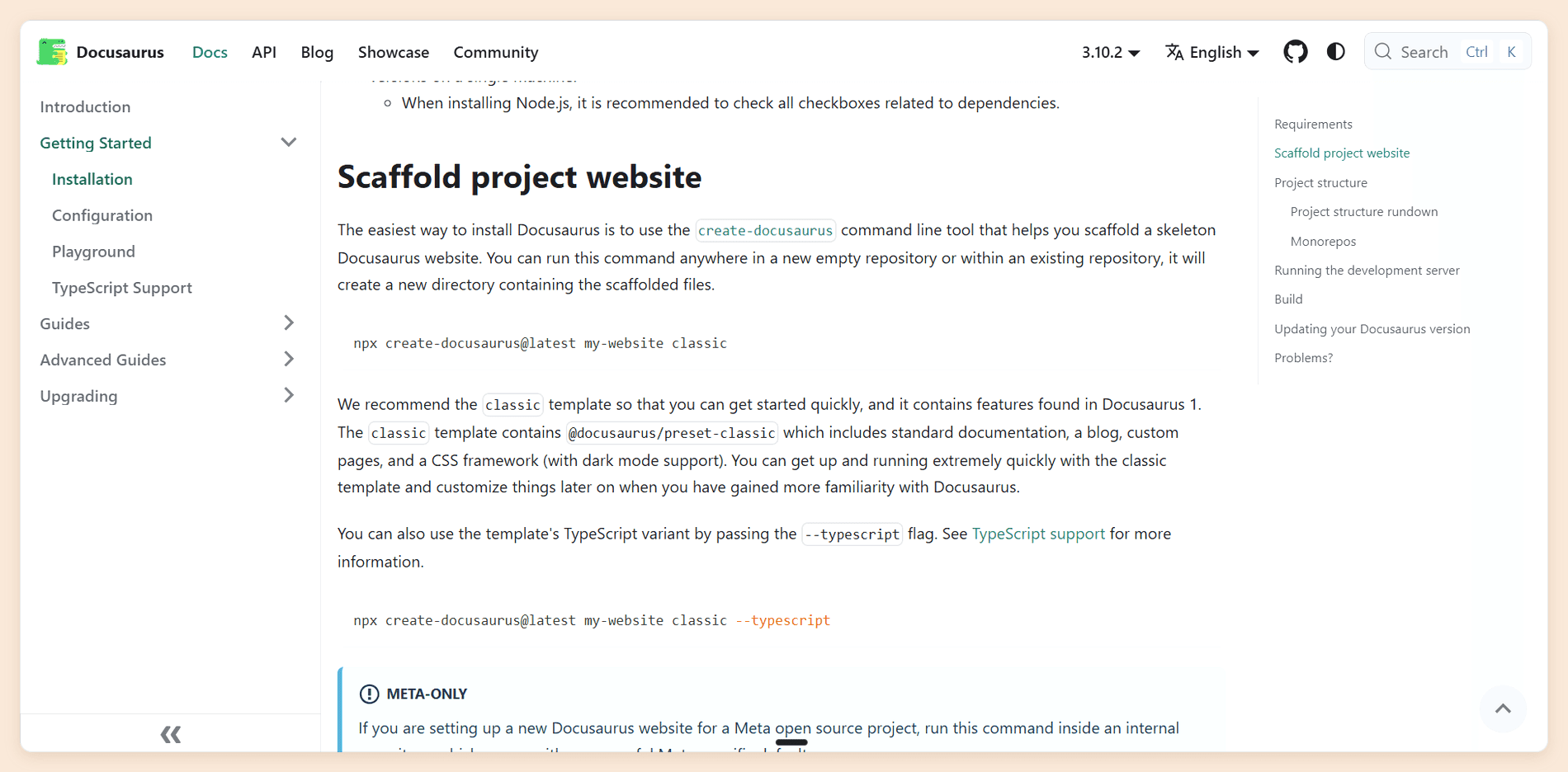
Docusaurus is the free, open-source answer to an Archbee bill, and the natural destination for a team whose real objection is paying a subscription at all.
You write Markdown and MDX in your own repository, Docusaurus builds a static React site, and you host the output wherever you like.
Features
- Markdown and MDX 3, with React components inside any page
- Versioning, internationalization, and a blog, all built in and all free, where Archbee puts the first two on its $350 plan
- Swizzling, which lets you eject or wrap any theme component and rewrite it in React
- Static output that deploys to Vercel, Netlify, GitHub Pages, Cloudflare, or your own servers
- Search through Algolia DocSearch, free for public technical documentation that qualifies, or community local-search plugins
- A plugin ecosystem, including Palo Alto Networks' OpenAPI plugin with a Send API Request panel and community plugins that generate
llms.txt - Faster builds through the Rspack-based Docusaurus Faster, stable since 3.10
Pricing
| Plan | Price | What it includes |
|---|---|---|
| Open source | Free under MIT | Everything, with no seat, site, or feature gating |
| Your costs | Engineering time | Hosting, search setup, analytics, and any AI you add |
Pros and Cons
Pros
- Free, open source, and with no vendor between you and your site
- No ceiling on design, since the theme is React you control
- Self-hosting settles data residency questions outright
- A large community, so most problems have public answers
Cons
- No visual editor, so the non-technical contributors Archbee serves best lose their tool
- No native OpenAPI reference
- No AI in core, and Algolia's Ask AI now runs through its Agent Studio with your own model provider's keys
- Every plugin is a dependency your team upgrades, with Docusaurus 4 already moving to Node 24 and React 19
Why Choose Docusaurus Over Archbee
Choose Docusaurus when the objection is the subscription itself, or when your documentation has to run on infrastructure you control. Archbee's self-hosted option, Cloud-Prem, starts at $100,000 a year on a three-year minimum, so for most teams the realistic choice is between a hosted Archbee portal and hosting something yourself. [1]
Versioning and localization are worth naming separately. Both are core Docusaurus features at no cost, and both are Scaling-only on Archbee, so a team whose only reason for facing the $350 tier is versioned docs has a free answer here.
The content moves reasonably well, since Archbee exports Markdown per document, per space, or as a whole-organization zip. What does not move is everything Archbee manages for you: the block editor becomes files, the portal becomes a build pipeline, and Ask AI, shadow docs, search analytics, and the in-product widget become projects of their own.
Verdict
Docusaurus is the best free Archbee alternative for engineering teams with a front-end developer to own the stack. If the reason you chose Archbee was that product managers and support leads could write without help, this undoes that decision, and the savings get spent in engineering time instead. Our guide to developer documentation tools covers the wider field, and the same series ranks the alternatives to GitBook, Mintlify, ReadMe, Theneo, and Document360.
Open-Source and Free Archbee Alternatives
The most searched follow-up to "Archbee alternatives" is about the free plan Archbee does not have. The short answer is that three of the five platforms here publish one, they differ mainly in who can edit and whether the AI is included, and the open-source tools give you everything except a managed AI layer.
Free Archbee Alternatives
| Platform | Free plan | Editors | Custom domain | AI included |
|---|---|---|---|---|
| Documentation.AI | Starter | Five | Yes | Assistant and agent, 10,000 one-time credits |
| Archbee | None | A 14-day trial only | ||
| GitBook | Free | One | No | Agent capped at 10 messages a week, no reader AI |
| Document360 | None | A 14-day trial only | ||
| Mintlify | Starter | Five | Yes | None, a 14-day trial only |
| Docusaurus | Open source | No limit | You host it | None built in |
Read the last column before the others. Only one free plan here lets you put an assistant in front of real readers, which matters because reader AI is the capability a two-week trial is least able to judge.
Open-Source Archbee Alternatives
Archbee itself is not open source, and every open-source option trades its managed hosting and AI for control and engineering time.
- Docusaurus is the most established choice, covered in full above, and gives you versioning and localization that Archbee charges $350 a month for.
- Material for MkDocs is an MIT-licensed theme for the Python-based MkDocs, and the simplest place to start for teams that already live in Python.
- Starlight is Astro's documentation framework, MIT licensed, and suits teams already building on Astro.
- Fumadocs is an MIT-licensed React documentation framework that fits teams on Next.js.
- Scalar is an open-source API reference and client under MIT, and a good fit for the API reference half of what Archbee does.
None of them ships a hosted reader assistant, in-product widget, or authoring agent. Adding one means choosing, wiring up, and usually paying for a separate service.
Is Archbee Open Source, and Can It Be Self-Hosted?
No on the first, and yes on the second at a price most teams will not clear. Archbee is a commercial hosted platform, and its self-hosted option deploys into an AWS subaccount you own with a dedicated engineer maintaining it, starting at $100,000 a year on a three-year minimum contract. [1] That is $300,000 of commitment, so teams with a data residency requirement and a normal budget usually end up on Docusaurus or one of the frameworks above.
Archbee Alternatives Compared
Plan prices sit with each platform above, so this table covers what you can actually do once you are on one. The two columns that decide most Archbee evaluations are where reader AI lives and how much of the product arrives as a separate purchase.
| Platform | Visual editor | Git workflow | Interactive API reference | Reader AI | Sold as add-ons |
|---|---|---|---|---|---|
| Archbee | Yes, blocks only | Two-way, three providers | Yes, both paid plans | Add-on, metered in tokens | AI, analytics, API, widget, PDF, QnA, static HTML |
| Documentation.AI | Yes | Two-way, GitHub or GitLab | Yes, every plan | Yes, from the free plan | Nothing |
| GitBook | Yes, the best here | Two-way Git Sync | Yes, on a Scalar panel | Metered in credits, from Essential | Credit packs |
| Document360 | Yes | One-way import, read-only | Yes, paid plans | Metered in credits | Chatbot, AI Premium Suite |
| Mintlify | Yes | Two-way, GitHub or GitLab | Yes, the strongest here | Metered in credits, on Pro | Credit packs |
| Docusaurus | No | Native, it is a repository | Community plugin | None built in | You build it |
What a Growing Team Pays
Headline prices hide most of the difference, so here is one team priced across the list: 10 people who edit, one public documentation site, and about 1,000 reader questions a month. All figures are annual rates, shown per month.
| Platform and setup | Monthly cost | What decides it |
|---|---|---|
| Archbee Growing with five extra members, AI, and Insights | $201, plus token overage | No published tokens-per-answer figure, so the AI line cannot be forecast |
| Documentation.AI Standard | $55 | 10 seats, and 1,000 questions use the full 10,000 credits |
| GitBook Ultimate with 10 users | $469 | 500 answers included, the other 500 at $0.20 each |
| Document360 | Quote only | Priced by sales |
| Mintlify Pro plus the 15,000-credit add-on | $595 | 1,000 answers use 25,000 credits, leaving none for automations |
| Docusaurus | $0 in licenses | Hosting, search setup, and no AI unless you build it |
The Archbee row is the cheap version, and it is worth reading twice. It runs on Growing, so it has no versioning, no localization, no custom CSS, no review workflow, no search analytics, and the Archbee mark still sits in the footer. Adding those means Scaling, and the same team lands at $520.
Which Archbee Alternative Is Right for You?
Match the platform to the thing that is pushing you off Archbee, not to the longest feature list. If the problem is the add-on stack or a trial too short to judge the AI, Documentation.AI is the default. If it is the editor and you want a free pilot before committing, GitBook. If support owns the content and review has to hold up under audit, Document360. If your engineers want their files back, Mintlify. If the subscription itself is the problem, Docusaurus.
When to Stay on Archbee
Stay if you are buying a knowledge portal rather than an AI layer. Archbee gets a multi-audience documentation estate structured, branded, and published faster than most of the category, and unlimited spaces on an $80 plan is genuinely hard to beat when you are serving customers, developers, support, and an internal team from one tool.
Two capabilities also have no replacement on this list. The app documentation widget puts contextual help inside your own product through a script tag or a React package, and shadow docs let the assistant answer from a codebase that readers never see. If either is load-bearing for you, price the move carefully. Qualifying open-source projects should also check Archbee's free Growing plan before moving anywhere.
What Moving Off Archbee Involves
The content is the easy part and the URLs are not. Archbee exports individual documents as Markdown or PDF, a whole space from the space menu, and your entire organization as a zip from admin settings, so nothing is held hostage. [1] Four things need attention on the way out:
- Components. Standard Markdown moves cleanly. Archbee's own MDX components, workflow blocks, minitaskers, link grids, and reusable variables need rebuilding in the destination's equivalents, so budget by how heavily your pages use them rather than by page count.
- Structure. Spaces map differently everywhere. Documentation.AI uses projects with dimensions and views, GitBook uses sites and sections, and Docusaurus uses a sidebars file.
- URLs. Map old paths to new ones before you publish anything, then load them as redirects, so inbound links and search rankings survive.
- Shadow docs. No other platform has an equivalent, so codebase files feeding your assistant need a different home, usually as an external source or a private section.
Plan around one timing note: the public API endpoint that exports your organization sits behind Archbee's $80 a month add-on, so if you want the programmatic route rather than the admin zip, buy it for the month you migrate. [1]
If you would rather see the move priced against your own team and traffic before anything shifts, book a demo.
Planning a move off Archbee?
If your setup spans several spaces, a Git-synced repository, or a portal your customers already have bookmarked, talk it through with our team before you move anything.
Documentation.AI Slack channel: Join here
Final Verdict
Archbee is a well-built knowledge portal carrying an AI layer that has not caught up with it, sold under a pricing model that makes the good parts hard to reach. If you want one place for customer guides, an API reference, internal runbooks, and in-product help, written mostly by people who will never open a repository, it still does that better than its price suggests.
For everyone else, the choice follows the reason for leaving. GitBook is the pick when the editor decides whether your team writes at all and you want a free pilot first. Document360 fits governed support knowledge bases. Mintlify suits engineering-owned developer docs that belong in a repository, and Docusaurus swaps the subscription for engineering time.
Documentation.AI is the best Archbee alternative for the widest range of teams. It keeps the visual editor and Git workflow that made Archbee work, and it puts the assistant, the agent, the analytics, and the API inside the plan, with PDF export on Pro, instead of charging $256 a month for the set. For the growing team priced above, that is $55 a month against $201, both on annual billing, with a token meter you cannot forecast.
The fastest way to check that is on your own documentation. Start free, connect your content, and run the agent over your own pages, or read the full Archbee vs Documentation.AI comparison if you want both platforms built out side by side.
FAQs
1. What Is the Best Alternative to Archbee?
Documentation.AI, for most teams. It offers a visual editor over Git-synced content, an AI agent, and a reader assistant from $55 a month billed annually, with the AI usable on a free plan rather than a 14-day trial. GitBook is the better pick for a single collaborative site, Document360 for a governed support knowledge base, Mintlify for API-first developer docs, and Docusaurus for a free, self-hosted option.
2. Does Archbee Have a Free Plan?
No. Archbee runs a 14-day trial with no credit card and refunds your first paid month with no questions asked, but there is no free tier. Open-source projects get the Growing plan free, and non-profits, education groups, and qualifying startups get 50% off. [1]
3. How Much Does Archbee Cost in 2026?
Growing is $80 a month and Scaling is $350 a month on annual billing, each with five team members included, then $5 or $10 per extra member. Enterprise is a custom quote, and Cloud-Prem self-hosting starts at $100,000 a year. Seven capabilities are add-ons on top of any plan. [1]
4. What Are Archbee's Hidden Costs?
The seven add-ons. AI is $16 a month on Growing and $40 on Scaling, and Insights analytics, QnA, the app widget, public API and CMS MCP access, whole-portal PDF export, and static HTML export are $80 a month each. Buying all seven on Growing costs $576 a month, more than the Scaling plan, and still includes no Scaling features. [1]
5. Which Archbee Alternative Is the Cheapest?
Docusaurus costs nothing to license, though you pay in engineering time and hosting. Among hosted platforms with AI included, Documentation.AI Standard at $55 a month billed annually is the lowest paid plan. GitBook Essential starts at $65 per site plus $12 per user, with about 100 AI search answers a month but not the full Assistant, and Mintlify has nothing between free and $450.
6. Which Archbee Alternative Is Best for API Documentation?
Mintlify, if the API reference is the product, because its playground generates interactive pages from OpenAPI or AsyncAPI with samples in 18 languages. Documentation.AI generates a playground on every plan alongside guides and help content, GitBook runs a Scalar test panel, Document360 includes a Try It console on paid plans, and Docusaurus relies on a community plugin.
7. Can You Export Your Content Out of Archbee?
Yes. Archbee exports individual documents as Markdown or PDF, a whole space from the space menu, and your entire organization as a zip from admin settings. [1] Standard Markdown transfers cleanly. Archbee's own MDX components and reusable variables need rebuilding on the new platform, and your URLs need a redirect map.
8. Who Are Archbee's Main Competitors?
Beyond the five here, teams comparing Archbee often look at ReadMe for API developer portals with per-key usage data, Fern for docs and SDKs generated from one API spec, Redocly for OpenAPI documentation reviewed as code, and Theneo for API documentation with built-in AI. Teams leaving Redocly or Fern rather than Archbee have their own shortlists in our Redocly alternatives and Fern alternatives guides.
Sources
- Archbee. "Pricing." Archbee. https://www.archbee.com/pricing
- Archbee. "Archbee Docs." Archbee. https://www.archbee.com/docs
- Documentation.AI. "Pricing." Documentation.AI. https://documentation.ai/pricing
- GitBook. "Pricing." GitBook. https://www.gitbook.com/pricing
- Mintlify. "Pricing." Mintlify. https://www.mintlify.com/pricing
- Document360. "Pricing." Document360. https://document360.com/pricing/
Leaving Archbee?
Test the AI before the invoice
The assistant, the agent, and analytics come with the plan instead of arriving as separate line items.
No credit card required