

Overview & Insights
Understand the different analytics we provide for your documentation and how they help you continuously improve it.
Overview
Analytics gives you a high-level view of how people use your documentation so you can improve it over time. It helps you answer questions such as:
-
How many users visit your docs, and how engaged are they?
-
Which pages get the most attention?
-
What are users searching for, and are they finding what they need?
-
Where do users leave feedback, and what does it tell you about content quality?
What you can track
You can open Analytics from the sidebar. The dashboard is organized into five tabs:
-
Overview: a summary dashboard with stat cards and ranked bar charts that show period-over-period trends for human views, AI agent views, user feedback, and AI assistant usage.
-
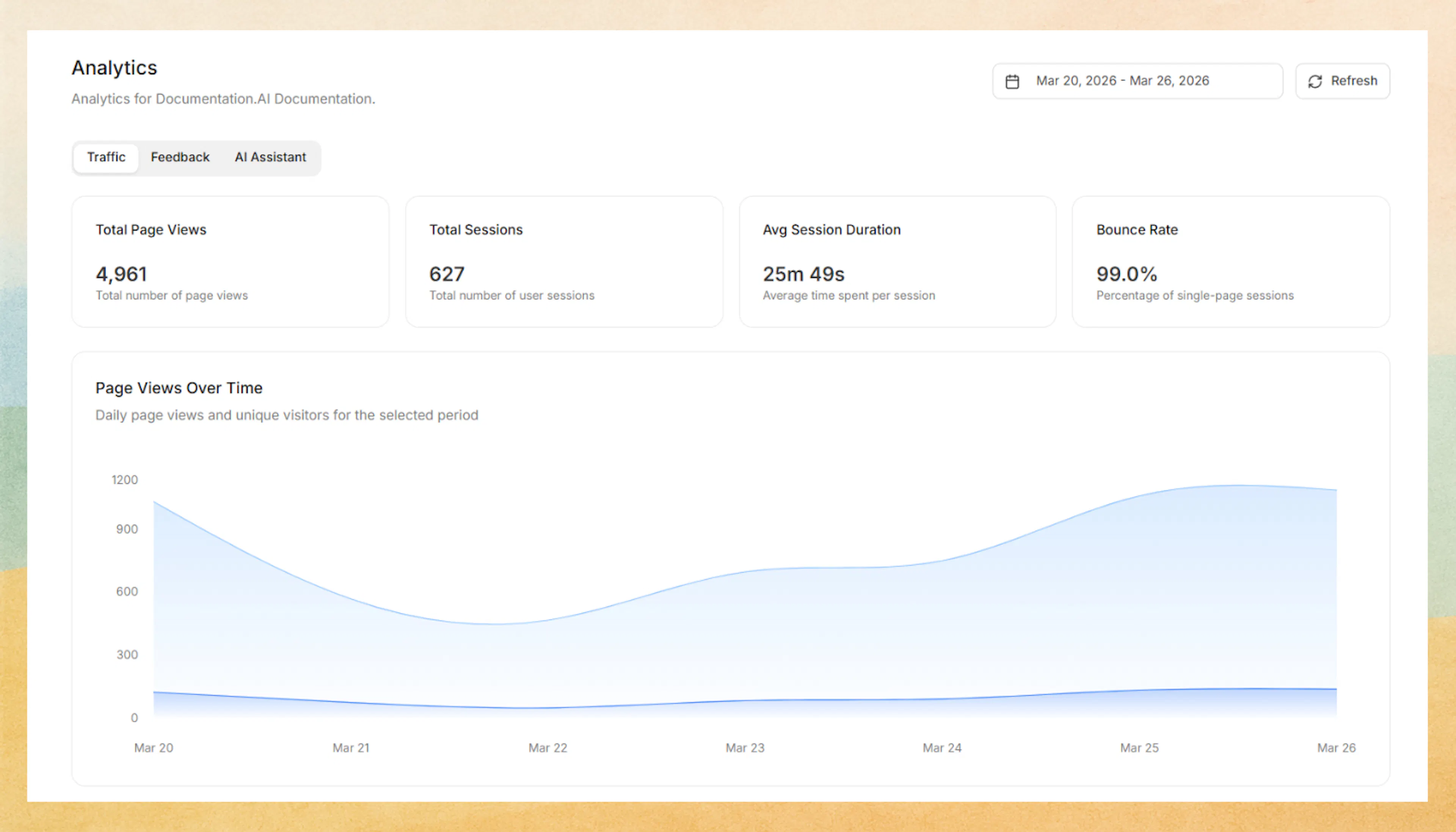
Traffic: page views and engagement broken down by audience type, with sub-tabs for People, AI Agents, and Bots & Crawlers.
-
Feedback: page-level reactions that highlight where content works well and where readers struggle.
-
AI Assistant: insights into how readers use the AI assistant, what they ask, and where they ask it from.
-
Search: search volume, no-result rate, click-through rate, and a per-page breakdown of where searches fail to produce results, plus a searchable event table of individual search queries.
Each tab loads its own data independently, so you can navigate between them without waiting for a single page-blocking load.
Use these metrics to understand how readers move through your docs, where they get stuck, and how effectively your content and AI experiences answer their questions.
Overview tab
The Overview tab is the default landing tab. It gives you a quick snapshot of documentation performance with stat cards showing period-over-period deltas for:
- Human Views: total page views from real visitors
- AI Agent Views: page views from AI agents and crawlers
- User Feedback: total feedback reactions (likes and dislikes)
- AI Assistant Questions Answered: questions answered by the AI assistant
Below the stat cards, four ranked bar charts show:
- Top Traffic Sources: where your visitors come from
- Top AI Agents: which AI agents and crawlers are reading your docs
- Most Read by People: the most viewed pages among human visitors
- Most Read by AI Agents: the most viewed pages among automated agents
Use the date range picker to filter all Overview metrics by period.
Traffic
Traffic analytics gives you a date-filtered view of how different audiences discover and engage with your documentation. The Traffic tab is organized into three sub-tabs:
- People: page views over time, top pages, and top referrer sources for human visitors
- AI Agents: page views over time, top pages, and agent-level breakdowns for AI tools and assistants
- Bots & Crawlers: page views over time, top pages, and agent-level breakdowns for search engine crawlers and other automated bots
Each sub-tab shows page views over time, top pages, and top sources specific to that audience type, so you can understand how each group discovers and consumes your documentation.
Feedback
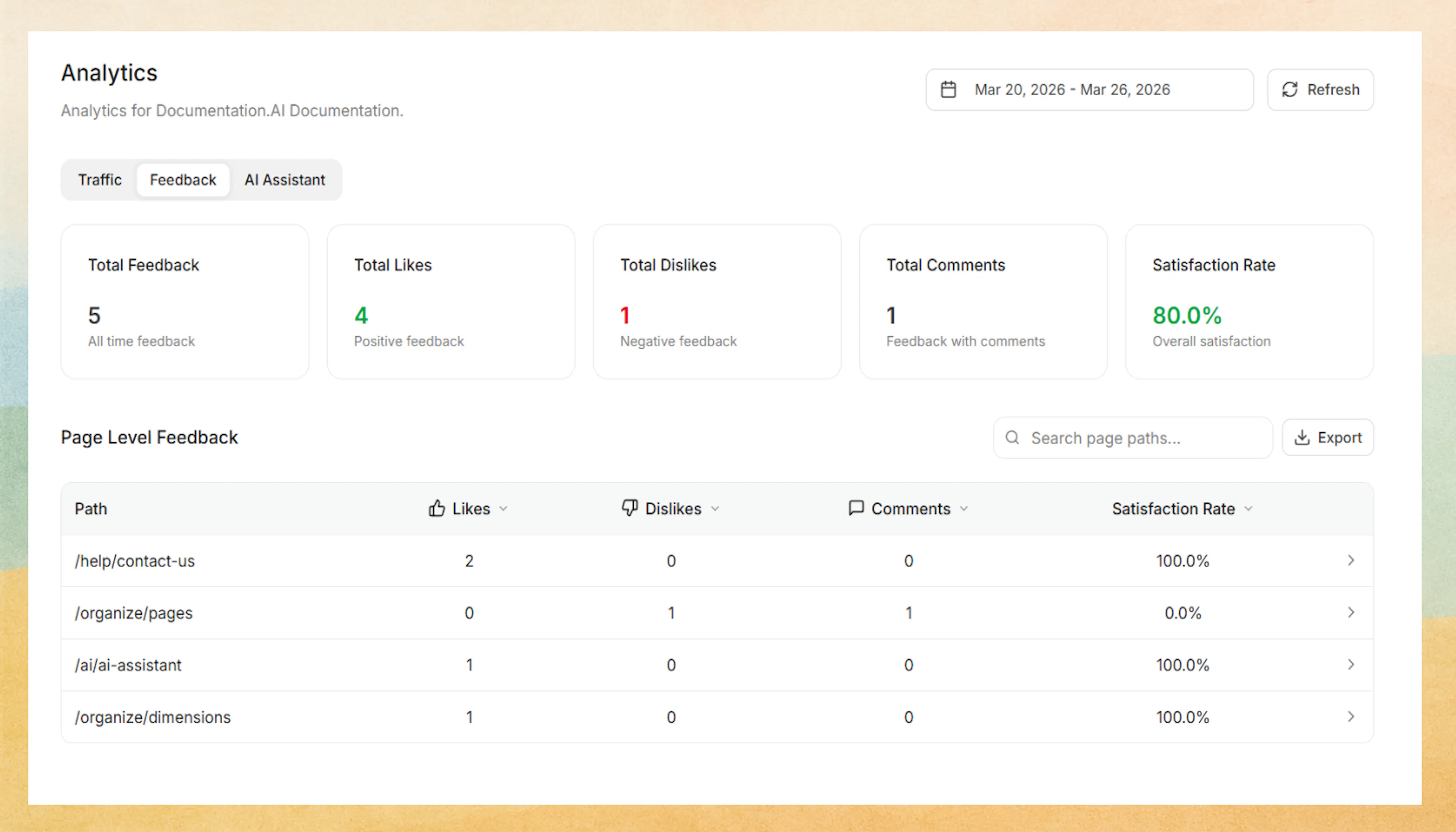
Feedback analytics shows how users feel about your content at both the summary and page level.
You can monitor:
-
Total Feedback, Total Likes, Total Dislikes, Total Comments, and Satisfaction Rate
-
A searchable and sortable page-level feedback table
-
Which pages receive the most positive or negative reactions
-
Individual feedback entries for a specific page, including the feedback type, reason, comment, and timestamp
Feedback analytics also supports CSV export for both page-level feedback data and page-specific feedback details, making it easier to review trends outside the dashboard or share findings with your team.
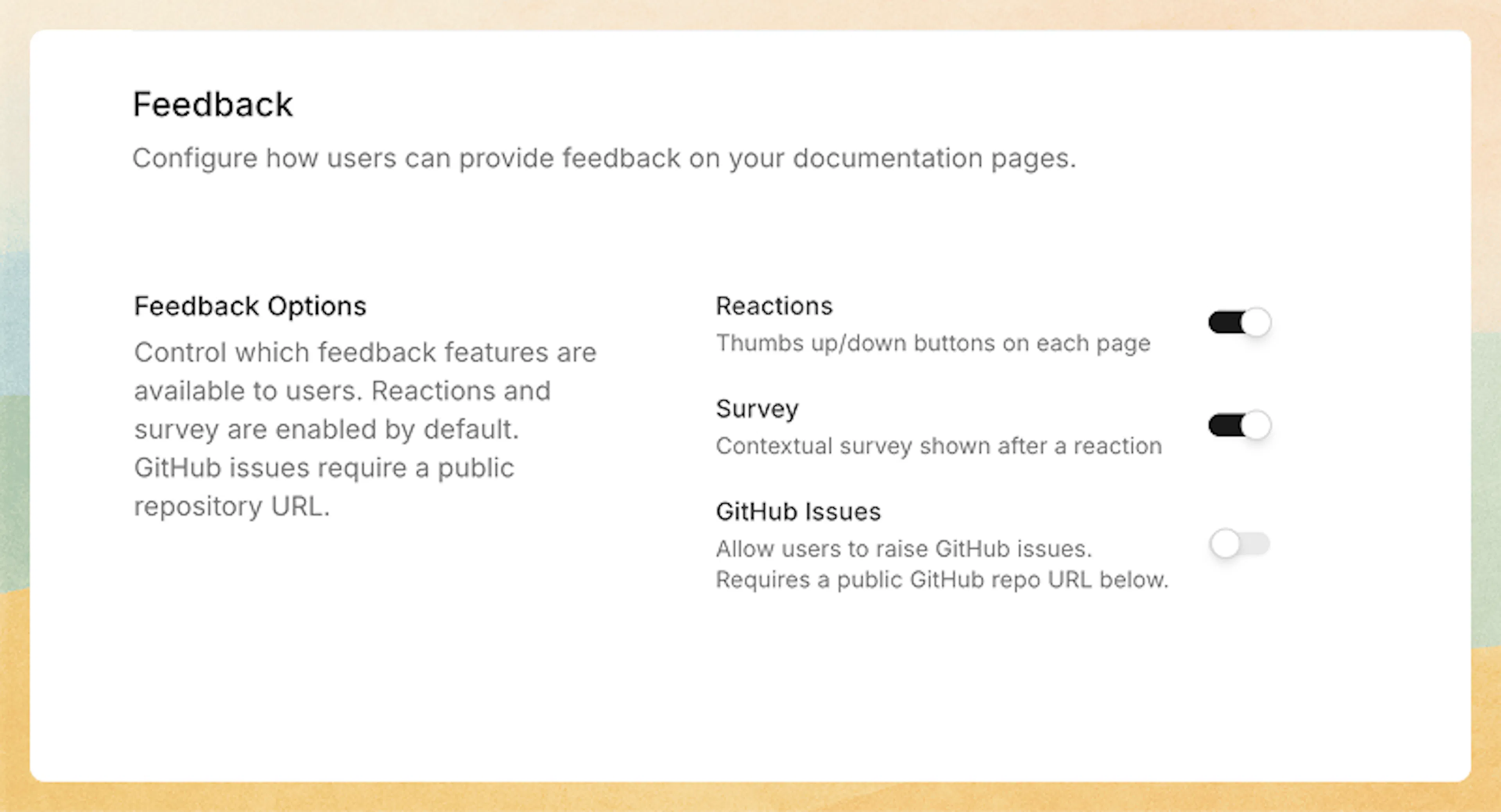
After a thumbs up or thumbs down reaction, you can optionally prompt readers for additional context using a short follow-up prompt. This captures free-text reasons or comments so you understand why they reacted the way they did. To configure feedback settings, in the Editor, click Site Config in the top toolbar, then select Feedback.
User feedback is a powerful signal for prioritizing updates, refining unclear topics, and validating whether recent changes are helping readers.
AI Assistant
The AI Assistant tab gives you a dedicated view into how readers use the AI assistant across your documentation. You can use it to understand usage volume, answer quality, and which conversations may need follow-up improvements in your docs.
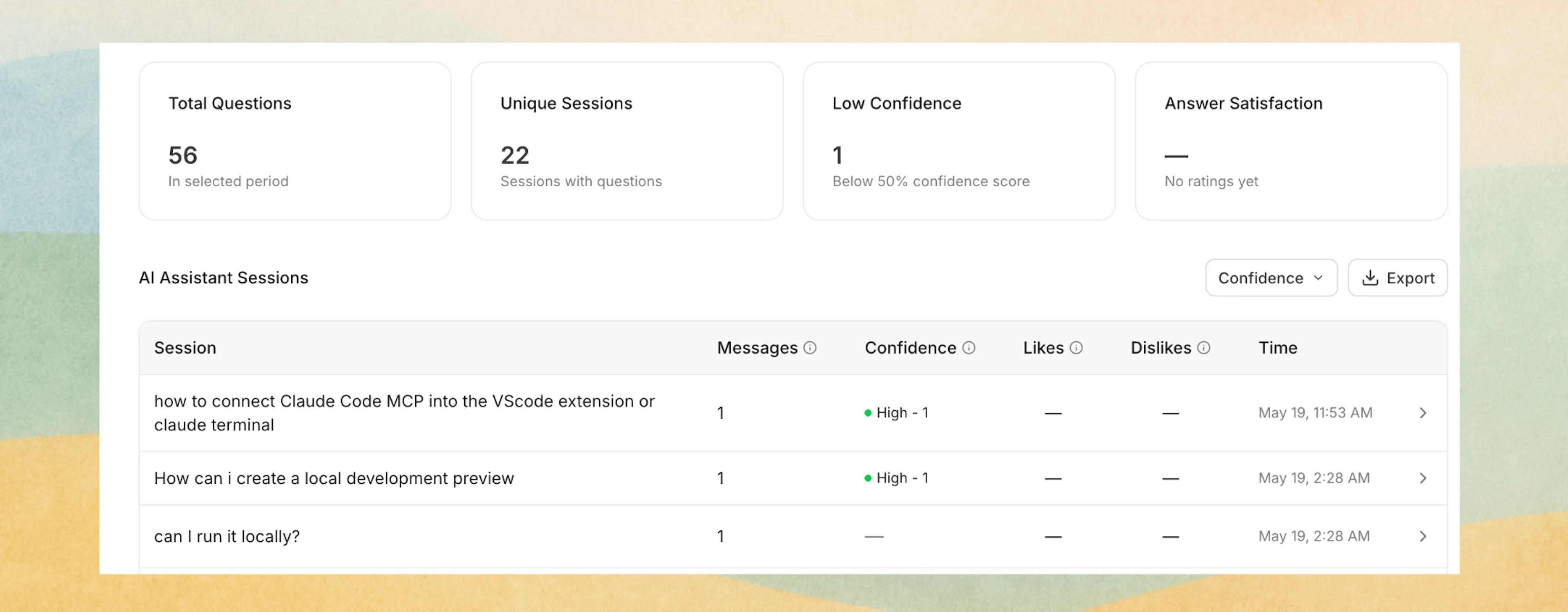
You can filter the AI Assistant view by date range and review four summary metrics:
-
Total Questions: the total number of Ask AI questions in the selected period
-
Unique Sessions: how many assistant sessions included at least one question
-
Low Confidence: answers scored below 50% confidence
-
Answer Satisfaction: the percentage of positive answer ratings when feedback exists
Below the summary cards, Ask AI data is grouped into AI Assistant Sessions so you can review conversations instead of only scanning individual questions. For each session, you can see:
-
The first question in the session
-
The total number of messages in that session
-
A confidence breakdown across answers in the session: High, Medium, and Low
You can also filter sessions by confidence level to quickly focus on conversations where the assistant may have struggled.
When you open a session, you can drill into the full conversation history for that session and review:
-
Each question
-
The AI generated answer
-
The confidence level for that answer
-
The timestamp for each message
Ask AI Analytics also supports CSV export with a custom export date range, so you can analyze question and answer data outside the dashboard or share it with your team. The sessions table also supports Load more pagination for browsing additional history.
Confidence levels are grouped as High (80% and above), Medium (50% to under 80%), and Low (below 50%).
Search
The Search tab shows how readers use search and where they run into dead ends. Use it to find content gaps that leave readers stranded.
You can filter by date range and review four summary metrics:
- Total Searches: the total number of searches in the selected period
- Sessions: how many sessions included at least one search
- No-Result Rate: the percentage of searches that returned zero results
- Click-Through Rate: the percentage of searches where the reader clicked a result
Below the summary cards, you can review:
- Searches Over Time: a daily volume chart showing how search usage trends across the selected period
- Result Performance: a per-page breakdown showing where searches most often yield no results, helping you identify pages that need better content or better discoverability
- Search Events: a searchable and filterable table of individual search queries, with details including the query text, results shown, clicks, and whether the reader escalated to the AI assistant
The Search tab also supports CSV export for sharing or offline analysis.
Third-party analytics
In addition to built-in analytics, you can send tracking data to external platforms like Google Analytics, PostHog, Mixpanel, and more using built-in integrations. For tools not covered by built-in integrations, use custom scripts to inject any tracking snippet.