9 Best User Manual Software in 2026 (Compared)
A user manual now has two readers: the customer looking for a step, and the AI agent answering on their behalf. We compared nine tools on how they write, review, publish and maintain a manual, and what each one costs a five-person team.

Monika B. · GTM Engineer, Documentation.AI
Last updated
On this page
- User Manual Software Compared
- What Is User Manual Software?
- What's Changed in User Manual Software in 2026
- How We Compared User Manual Software
- Types of User Manual Software
- 1. Documentation.AI
- 2. GitBook
- 3. Mintlify
- 4. Document360
- 5. Confluence
- 6. MadCap Flare
- 7. Paligo
- 8. Scribe
- 9. Docusaurus
- What Five Editors Pay a Year
- How to Create a User Manual With User Manual Software
- How to Choose User Manual Software
- FAQs
- Final Verdict
- Sources
The best user manual software in 2026 is Documentation.AI for software products that ship often, MadCap Flare or Paligo for print-grade and regulated manuals, Document360 for support-led help centers, and Scribe for quick step-by-step process guides. The editor matters less than you'd expect. What decides it is where the manual has to be published and who keeps it current after launch.
Most "best user manual software" lists rank tools by feature count. This one sorts them by the job they do, because a hardware maker printing a PDF and a SaaS team shipping weekly need different software.
User Manual Software Compared
Here are all nine tools side by side on what tends to decide a purchase: where the manual can be published, whether readers can ask it questions, and the entry price. Prices are the vendor's published figures, billed annually unless the cell says otherwise. "Quote" means the vendor doesn't publish one.
| Tool | Type | Best for | Free plan | Entry paid price | PDF export | Reader AI answers |
|---|---|---|---|---|---|---|
| Documentation.AI | Documentation platform | Software manuals that change every release | Yes | $55/mo | Pro plan and up | Every plan |
| GitBook | Documentation platform | Writer-friendly product docs | Yes, one user | $65/site/mo + $12/user | Essential and up | Essential and up (credits) |
| Mintlify | Documentation platform | Developer-heavy products | Yes | $450/mo | Not on Starter or Pro | Pro and up (credits) |
| Document360 | Knowledge base | Support-led help centers | No, 14-day trial | Quote | Yes, with templates | Yes (credits) |
| Confluence | Team wiki | Internal manuals and SOPs | Yes, 10 users | $7.15/user/mo (monthly) | Yes | Standard and up (Rovo) |
| MadCap Flare | Help authoring tool | Multi-format and print manuals | No, 30-day trial | $3,150/author/yr | Yes | No (separate product) |
| Paligo | Component content CMS | Regulated, multilingual manuals | No, free trial | From $15,000/yr | Yes | Paid add-on |
| Scribe | Step-capture tool | Quick process guides | Yes, browser only | $13/seat/mo (5 seats) | Per guide, Pro and up | No |
| Docusaurus | Open-source site generator | Developer teams who self-host | Free, MIT license | $0 plus hosting | Not built in | No |
The free plan is enough to try this on a real manual. Start free with five editors, reader AI and the agent included.
What Is User Manual Software?
User manual software is any tool used to write, structure, review, publish and update the instructions people need to use a product. That covers desktop help authoring tools built for print-ready PDFs and hosted platforms that publish a searchable site readers can query with AI.
These lists disagree because "user manual creator" covers products with almost nothing in common. One is a screen recorder that drafts a single procedure. Another is a component content management system that stores every sentence once and reuses it across 30 product variants. If you're still working out what goes inside a user manual, settle that first and pick the tool afterwards.
What's Changed in User Manual Software in 2026
Manuals now have AI readers, the assistants that answer from them cost money per use, and the better platforms draft updates from code changes.
AI agents read the manual before your customer does. Plenty of questions about your product now get answered by ChatGPT, Claude or a coding assistant reading your documentation on the user's behalf. An llms.txt index and clean Markdown versions of each page make that easier, so we checked for both below.
Reader AI comes with a meter. Almost every hosted platform now lets readers ask the manual a question in plain language, and the pricing is where they differ. GitBook and Mintlify include a credit allowance with their plans, while Paligo prices its answer engine per answer. Work out what an answer costs before you switch it on for every customer.
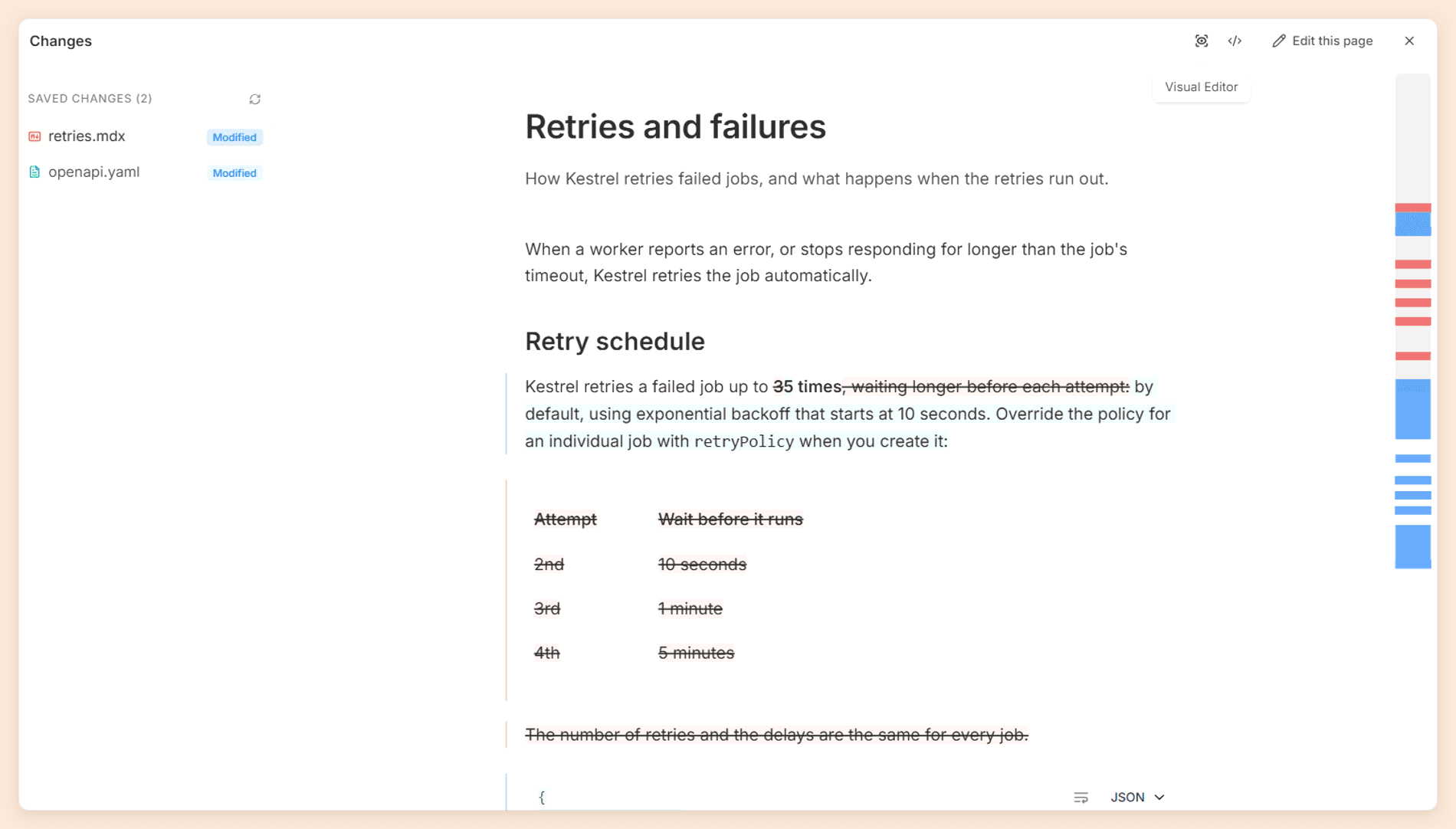
Manuals can update themselves, partly. Every manual drifts as the product changes. Documentation.AI's automations read a merged pull request and draft the update for review, and other documentation platforms now ship similar agents. Help authoring tools added AI writing assistants instead, which speed up drafting but can't tell the product changed.
How We Compared User Manual Software
We ran every tool through the same five buyer questions, answered from the vendor's pricing page, its documentation, and the manual it publishes about its own product. We then checked that published manual for llms.txt, because a vendor that can't make its own manual machine-readable is unlikely to do it for yours.
The questions:
- "Can I publish this manual as a PDF, and on which plan?" Output formats and the plan that unlocks them.
- "Can a reviewer approve a change before it goes live?" Review workflow, branches or previews, and version history.
- "Can a customer ask the manual a question in plain language?" Reader-facing AI, its plan gating, and how it is metered.
- "What happens to the manual when the product changes?" Git integration, content reuse, and any automation that detects or drafts updates.
- "What does a five-person team pay a year?" Calculated from published prices only.
For the llms.txt check, we fetched /llms.txt from each vendor's own documentation site on 27 October 2026. That shows what a vendor publishes for itself, which may differ from what its product offers customers, so treat a miss as a hint and nothing more.
| Vendor's own manual | llms.txt result |
|---|---|
| Documentation.AI (documentation.ai/docs) | Served |
| GitBook (gitbook.com/docs) | Served |
| Mintlify (mintlify.com/docs) | Served |
| Document360 (docs.document360.com) | Served |
| Paligo (docs.paligo.net) | Served, but the index lists German pages only |
| MadCap Flare (help.madcapsoftware.com) | Not found on the help site; the marketing site serves one |
| Confluence (support.atlassian.com) | Not found on the support site |
| Scribe (support.scribehow.com) | Not found |
| Docusaurus (docusaurus.io) | Not found |
We also tried adding .md to a page URL on the hosted platforms. Documentation.AI, GitBook, Mintlify and Document360 all returned Markdown.
Types of User Manual Software
User manual software falls into five types, and the nine tools below follow this order, so you can go straight to the group that matches your manual.
Documentation platforms (Documentation.AI, GitBook, Mintlify) - they publish your user manual as a hosted, searchable website, usually with an AI assistant built in. Start here for a software product, where the manual changes with every release and readers arrive from search or from inside the app. Our developer documentation tools roundup covers more platforms in this group.
Knowledge base software (Document360, Confluence) - it publishes a user manual as a help center: categories of short articles, a search bar, and usually a support widget. Support teams use it to deflect tickets, and internal teams use it for SOPs and onboarding manuals.
Help authoring tools and component content management systems, or CCMS (MadCap Flare, Paligo) - both write content once and publish it to many formats, from HTML help to print-ready PDF. Hardware, medical, industrial and enterprise software teams use them for multi-format output, translation into many languages, and the audit trail regulators expect.
Step-by-step guide creators (Scribe) - these step-capture tools record you completing a task and turn the clicks into a written guide with annotated screenshots. Use them for internal training and quick customer how-tos, not a full, structured product manual.
Free and open-source tools (Docusaurus) - they cost nothing to license, and the site, hosting and data are all yours. You pay in developer time instead, because someone has to build, host, update and maintain the site.
1. Documentation.AI
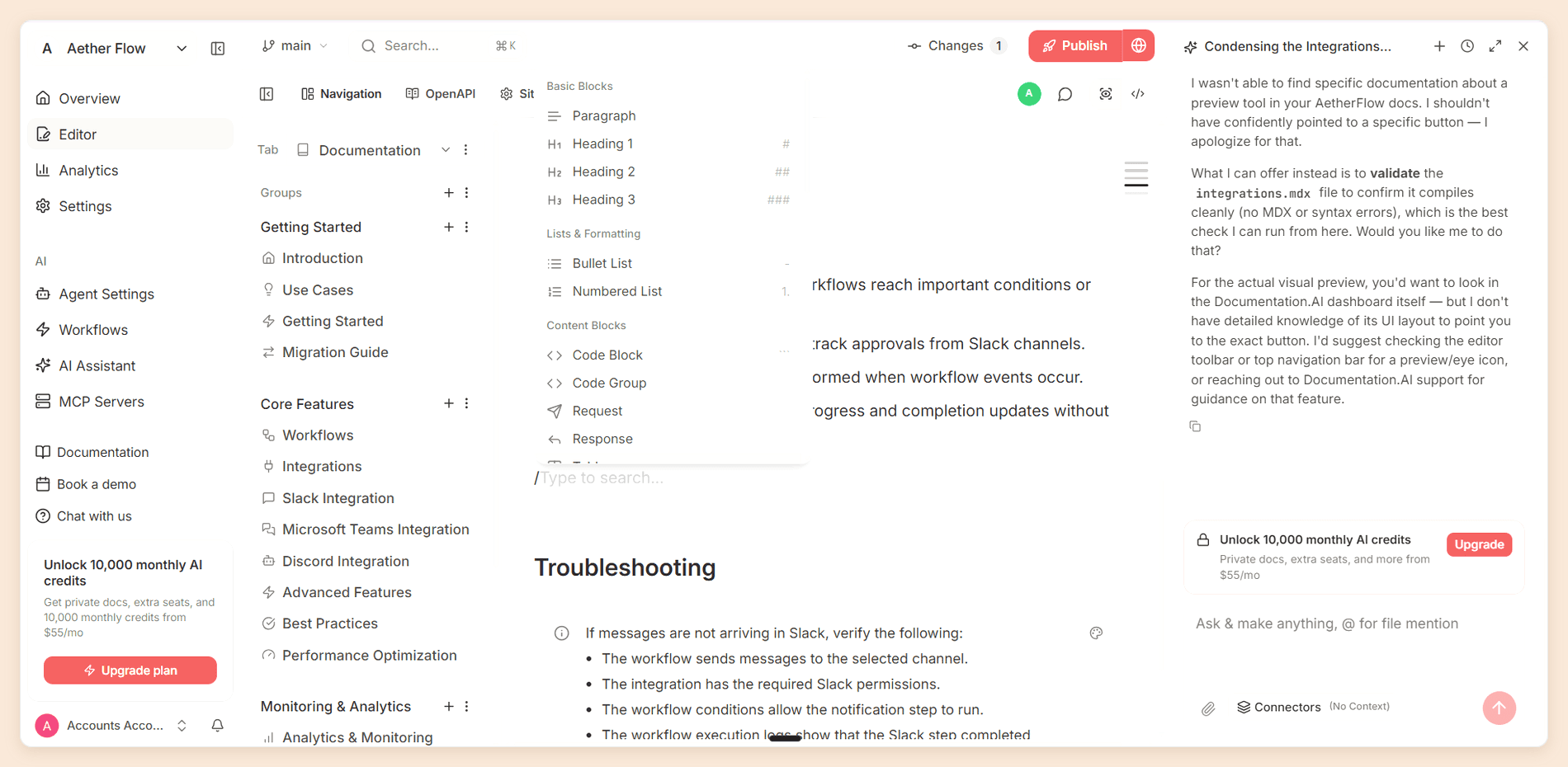
Documentation.AI is an AI-native documentation platform for product manuals, user guides and API references. Writers work in a visual editor, engineers commit Markdown, and bidirectional Git sync keeps both on the same source. Its agent can draft and update pages from your code, tickets and support conversations.
Key features
- Visual web editor and docs-as-code on every plan, with branches and preview deployments for review before anything goes live.
- Automations that run on a pull request merge or on a schedule: the "Documentation Update from Code" template reads the merged change and drafts the documentation update, and auditing templates check broken links, grammar and style.
- Ask AI for readers on every plan, including the free one, plus Embedded Docs to put the manual and the assistant inside your product.
- llms.txt, per-page Markdown and a docs MCP server, so AI agents can read the manual directly.
- AI answer analytics and reader feedback on every plan, which show the questions the manual failed to answer.
Pros
- Reader AI, the agent and automations are all on the free plan.
- Plans have one flat price, not a per-seat or per-site fee: Standard covers 10 editors.
- Writers and engineers share one source, with the visual editor and Git sync on every plan.
- A self-serve migrator moves an existing manual from GitBook, Mintlify, ReadMe, Document360, Docusaurus or MadCap Flare.
Cons
- It's built for online manuals. If your main deliverable is a printed booklet, use a help authoring tool.
Pricing
| Plan | Price, billed yearly | Editor seats | AI credits | Also includes |
|---|---|---|---|---|
| Starter | Free | 5 | 10,000, one time | Reader AI, the agent and automations |
| Standard | $55 a month | 10 | 10,000 a month | Everything in Starter |
| Pro | $159 a month | Unlimited | 30,000 a month | PDF export and private docs with reader login |
A reader question costs 10 credits, so Standard covers 1,000 answers a month. [1] Five editors on Standard cost $660 a year, against $1,500 on GitBook and $5,400 on Mintlify, as the full cost table shows.
Verdict: Pick this if your manual documents a software product that ships often. Reader answers and code-triggered updates both start on the free plan, so you can test the whole loop before paying.
Already have a manual?
A manual that keeps itself current
Bring it across as it is, then let the agent update pages when code ships.
No credit card required
2. GitBook
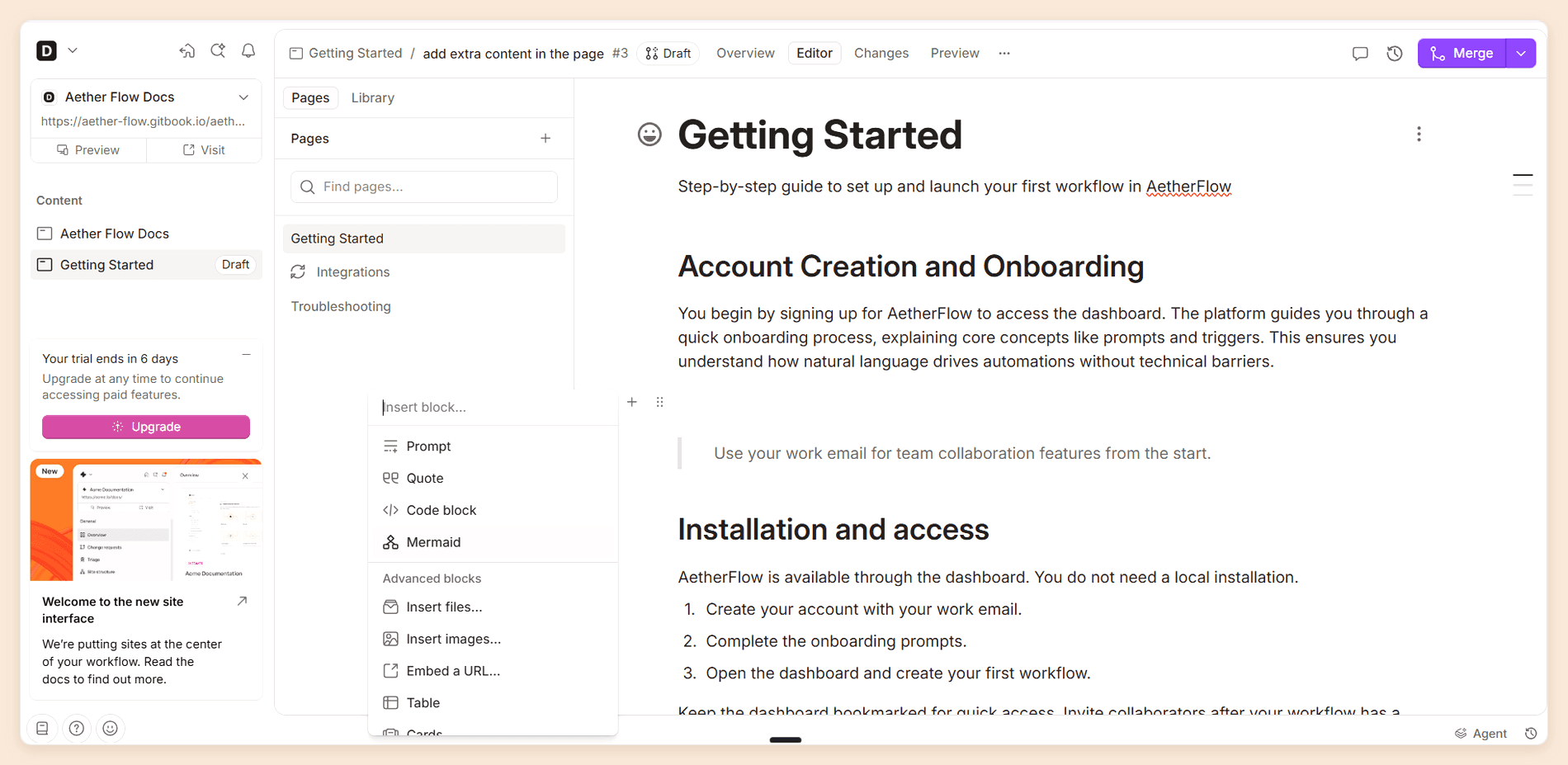
GitBook is best known for its block editor, which non-technical writers pick up quickly. Two-way Git Sync lets engineers work in Markdown while writers stay in the browser, and change requests give each edit a review step before it publishes.
Key features
- Block-based editor with reusable content, change requests and version history.
- Two-way Git Sync with GitHub and GitLab.
- AI Assistant for readers on Essential, with the full Assistant chat sidebar and AI insights on Ultimate.
- GitBook Agent for writing and updating pages.
- PDF export for readers and for internal, unpublished content on Essential and up.
Pros
- Writers use a block editor without touching Markdown, while engineers stay in Git.
- Every published site generates an MCP server automatically.
- Free for a single author.
Cons
- Pricing is per site plus per user, so a second manual doubles the site fee.
- Reader AI runs on a credit allowance that varies by plan.
Pricing
| Plan | Price, billed annually | Includes |
|---|---|---|
| Free | Free | One user |
| Essential | $65 per site a month plus $12 per user | $20 of AI credits |
| Ultimate | $249 per site a month plus $12 per user | $100 of AI credits |
Both paid plans come with a 14-day trial. [2] Fees stack per site and per user, so GitBook's real cost for a team depends on how many manuals you run.
Verdict: Go with GitBook when writers outnumber engineers and you publish one or two manuals. Every extra site adds another site fee, which is why our GitBook review treats it as a single-site platform. Teams that need several manuals can start from our GitBook alternatives.
3. Mintlify
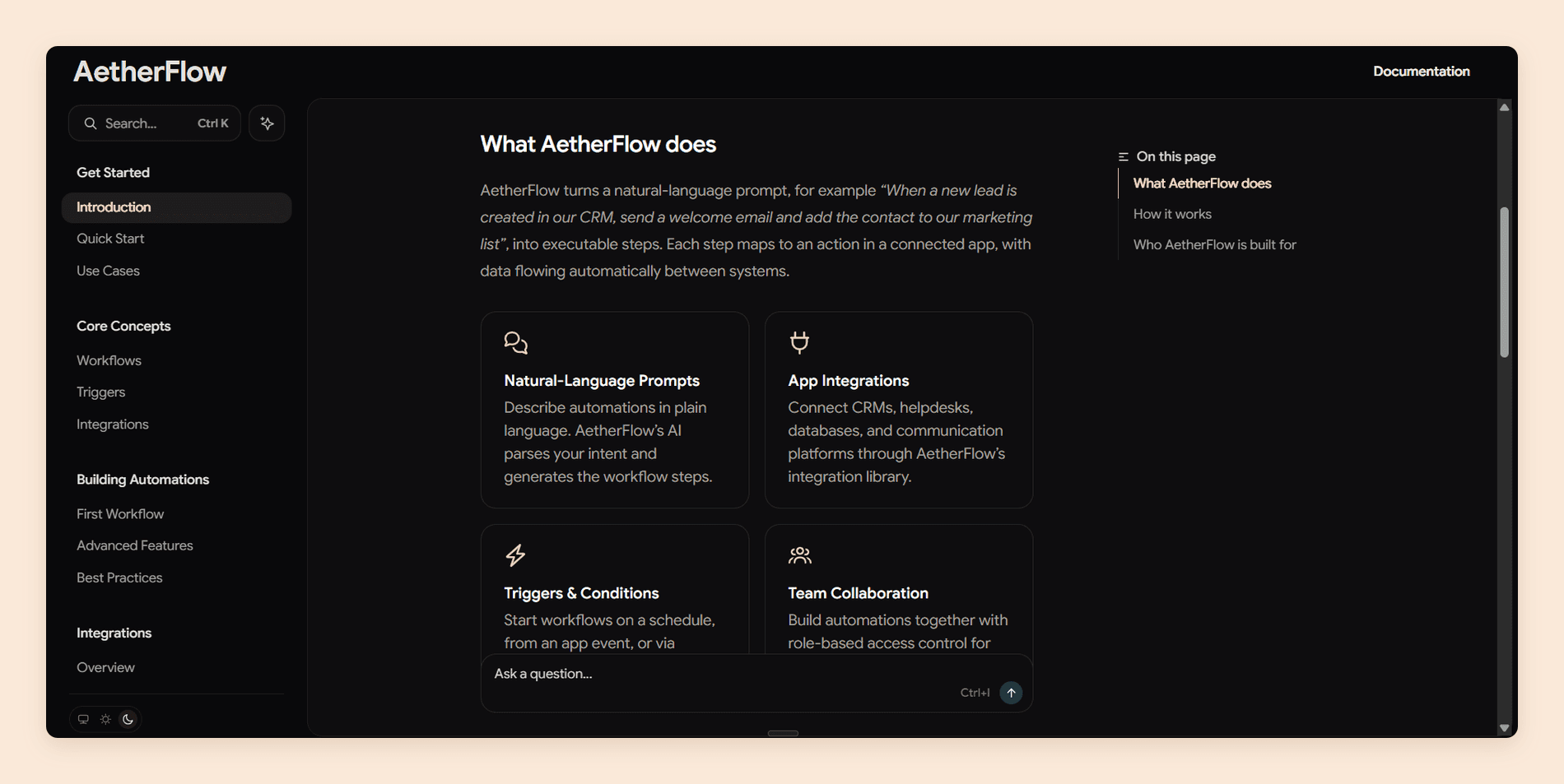
Mintlify is aimed at developer-facing products. Published sites look polished with little configuration, API reference pages generate from an OpenAPI file, and the paid plan adds an AI assistant and a writing agent.
Key features
- MDX-based docs-as-code with a web editor, preview deployments and custom CSS on every plan.
- AI Assistant for readers and an agent for writing, both on Pro.
- Automations that update docs, priced per run in credits.
- Strong API playground and OpenAPI support.
Pros
- API reference pages generate from an OpenAPI file, with an API playground for readers.
- The default design looks finished with little configuration.
- A 14-day Pro trial includes the AI features and 5,000 credits, with no card.
Cons
- The jump from free to Pro is steep.
- PDF export is not included on Starter or Pro.
Pricing
| Plan | Price | Includes |
|---|---|---|
| Starter | Free | Five editor seats |
| Pro | $450 a month billed annually, $540 billed monthly | AI Assistant and agent |
| Enterprise | Custom | Agreed with sales |
An assistant answer costs 25 credits, so Mintlify's pricing comes down to how many questions your readers ask. [3]
Verdict: Mintlify makes sense for API-first products where the manual sits beside an API reference and you care a lot about design. That matches our Mintlify review, which says it's worth buying when your reader is a developer and the budget is there. Look elsewhere, starting with our Mintlify alternatives, if you need PDF manuals below the enterprise tier.
4. Document360
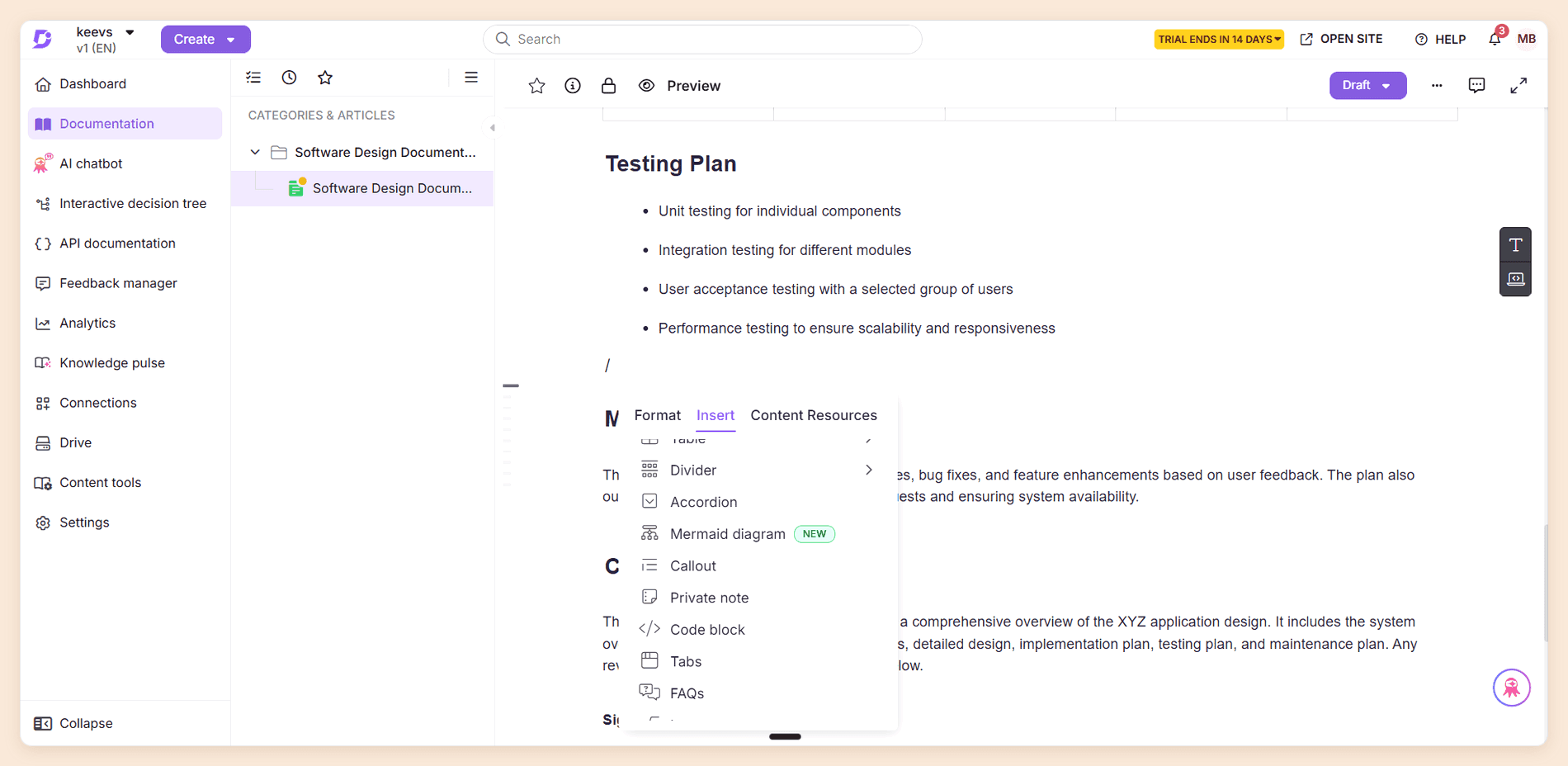
Document360 is a knowledge base platform built for customer self-service and internal knowledge. It organizes a manual into categories and articles, adds workflow stages and review reminders for governance, and publishes to a hosted help site with an AI assistant called Eddy.
Key features
- Category-based knowledge base with a custom workflow designer and review reminders that flag stale articles.
- PDF export with designable templates.
- Eddy AI for reader questions, metered in credits, plus an MCP server and automatic llms.txt.
- API documentation from OpenAPI or Postman on paid plans.
Pros
- PDF templates let you set the cover page, table of contents, watermark and headers.
- Readers can download articles and categories as PDFs from the help site.
Cons
- No free plan and no published prices.
- GitHub sync is one-way and read-only, so engineers can't work in a docs-as-code flow.
Pricing
| Price | Trial | What sets the price |
|---|---|---|
| Quote only | 14-day trial with every feature | Editor accounts, workspaces, languages, security needs, privacy model and AI usage |
Verdict: Support teams that measure the manual by ticket deflection and need PDF output will get the most from it. Engineering-led products won't, because the GitHub sync only runs one way, and that's one of the usual reasons teams look at Document360 alternatives.
5. Confluence
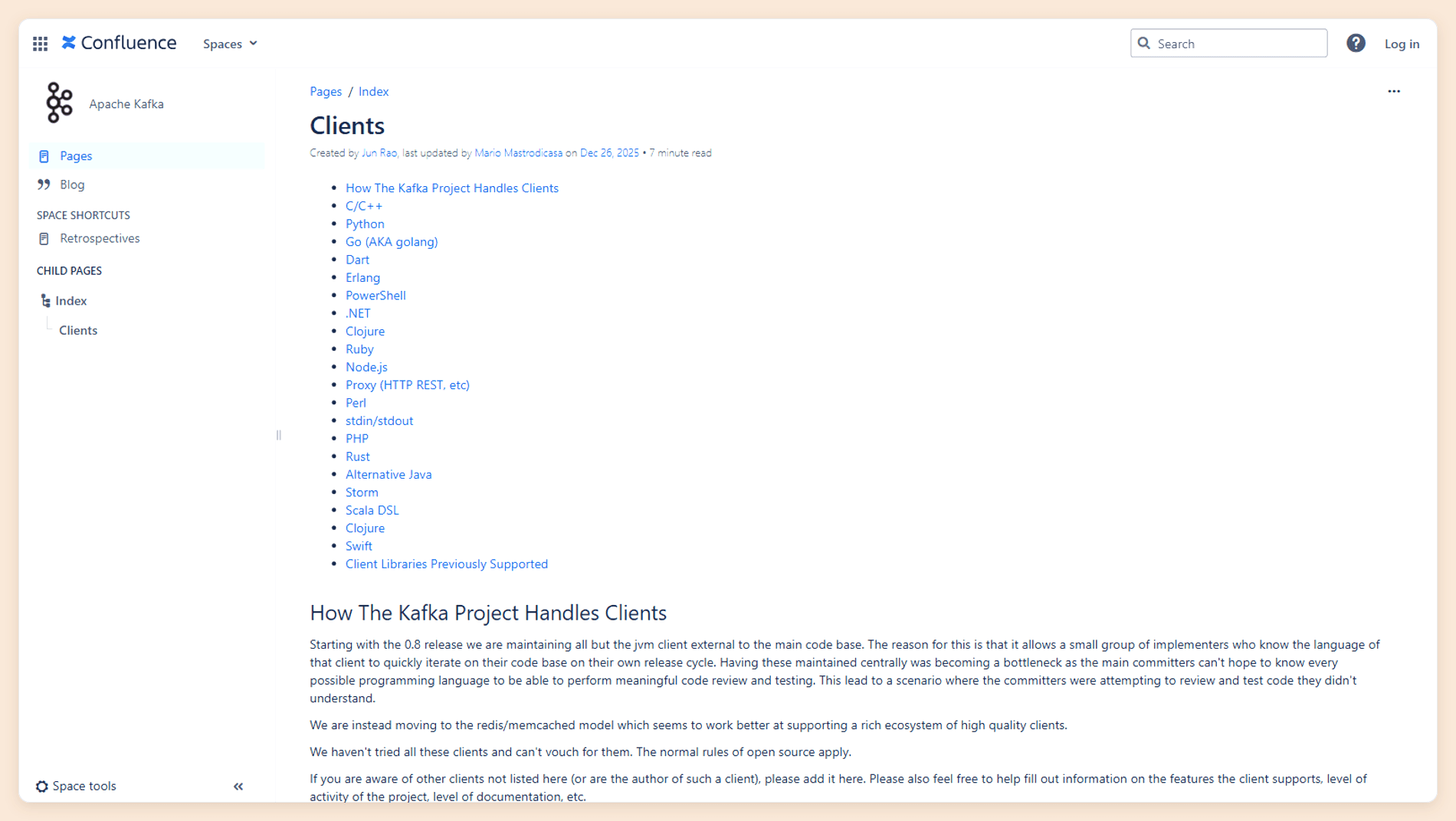
Confluence is Atlassian's team wiki, and plenty of internal manuals already live there. It wasn't built for public product manuals. For SOPs, onboarding guides and internal how-tos, though, it's cheap, familiar and connected to Jira.
Key features
- Pages and spaces with permissions, comments and page versioning.
- Native export to PDF and Word for single pages, and space exports to PDF, HTML, CSV or XML.
- Rovo AI search, chat and agents on Standard and up.
- Self-managed Data Center option for teams that cannot use the cloud.
Pros
- Free for up to 10 users, and connected to Jira.
- A whole space exports to PDF, the route Atlassian's own help page suggests for a user manual.
Cons
- Public-facing manuals look like a wiki, not a product help site.
- No Git integration or variable-based content reuse.
Pricing
| Plan | Price |
|---|---|
| Free | Free for up to 10 users and 2 GB of storage |
| Standard | $7.15 per user a month |
| Premium | $14.10 per user a month |
| Enterprise | Sold annually through sales |
Standard and Premium are monthly billing prices for a 10-user team. Per-user prices fall as teams grow, and annual billing saves up to 17%. [4]
Verdict: Use it for manuals your colleagues read. Customers deserve something that doesn't look like a wiki.
6. MadCap Flare
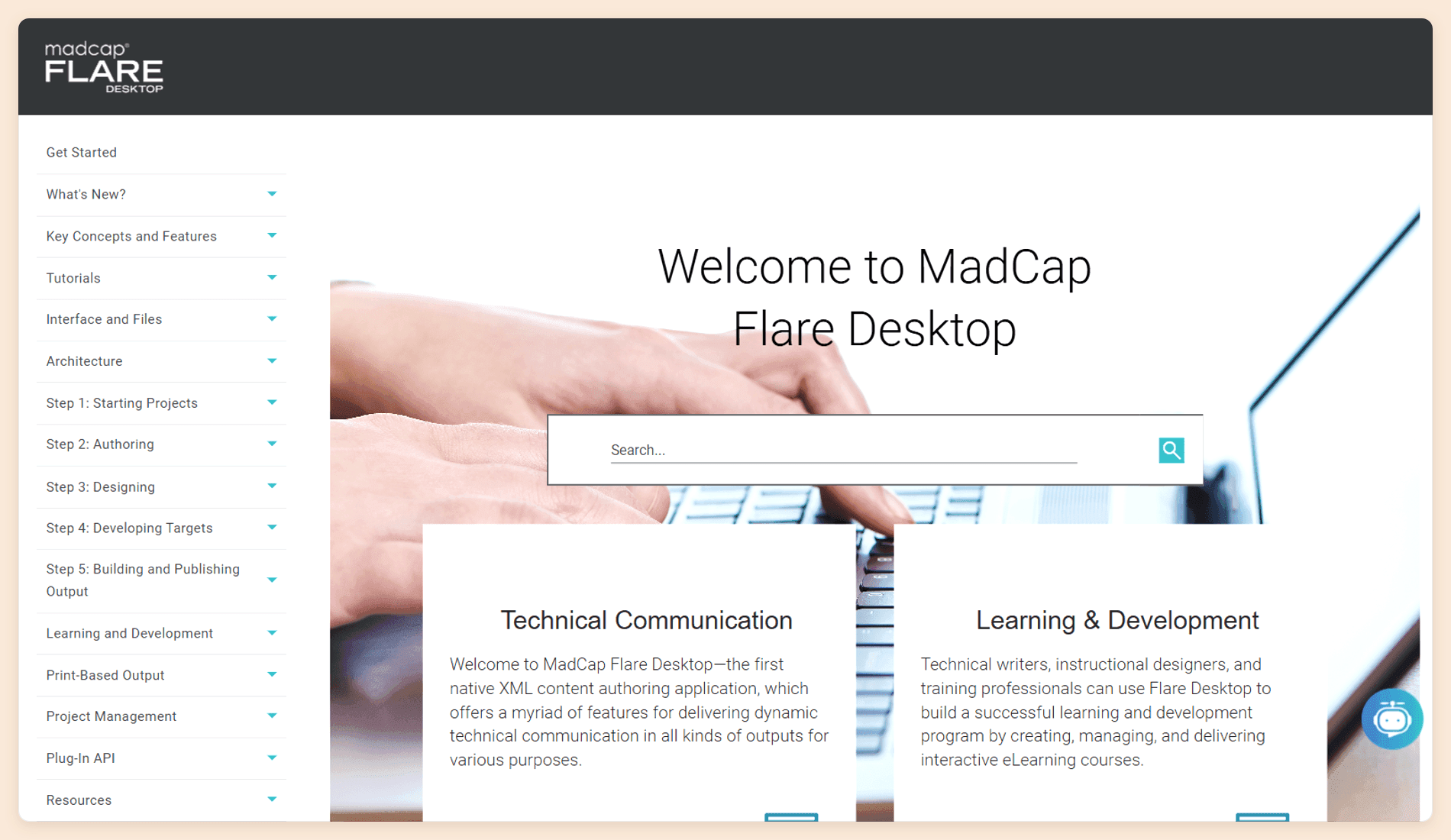
MadCap Flare is the long-standing help authoring tool for technical writers. Its topic-based projects single-source content through snippets and variables, so one project can produce an online help site, a PDF manual, a Word file and an EPUB from the same source.
Key features
- Outputs to HTML5, PDF, Word, Clean XHTML, Eclipse Help, EPUB, HTML Help (CHM) and PowerPoint, plus direct publishing to Salesforce, Zendesk and ServiceNow.
- Source control binding to Git, Perforce, Subversion and Team Foundation Server.
- Flare Online adds browser-based review for subject-matter experts and translation management.
- AI-assisted authoring through a ChatGPT integration on Flare Online.
Pros
- One project outputs to eight formats, including PDF, Word and EPUB.
- Conditions keep several product variants in one source, so a shared change is written once.
Cons
- The desktop app is Windows only, so Mac users need a Windows setup.
- Expensive per author, with a 12-month commitment.
Pricing
| Plan | Price |
|---|---|
| Flare Desktop | $3,150 per author a year |
| Flare Online Individual | Through sales |
| Flare Online Team | Through sales |
| Flare Online Business | Through sales |
Every Flare Online tier includes Flare Desktop for every author. [5]
Verdict: Buy Flare when one source has to become print, PDF and online help. A SaaS team that only publishes to the web would pay a lot for output it never uses.
7. Paligo
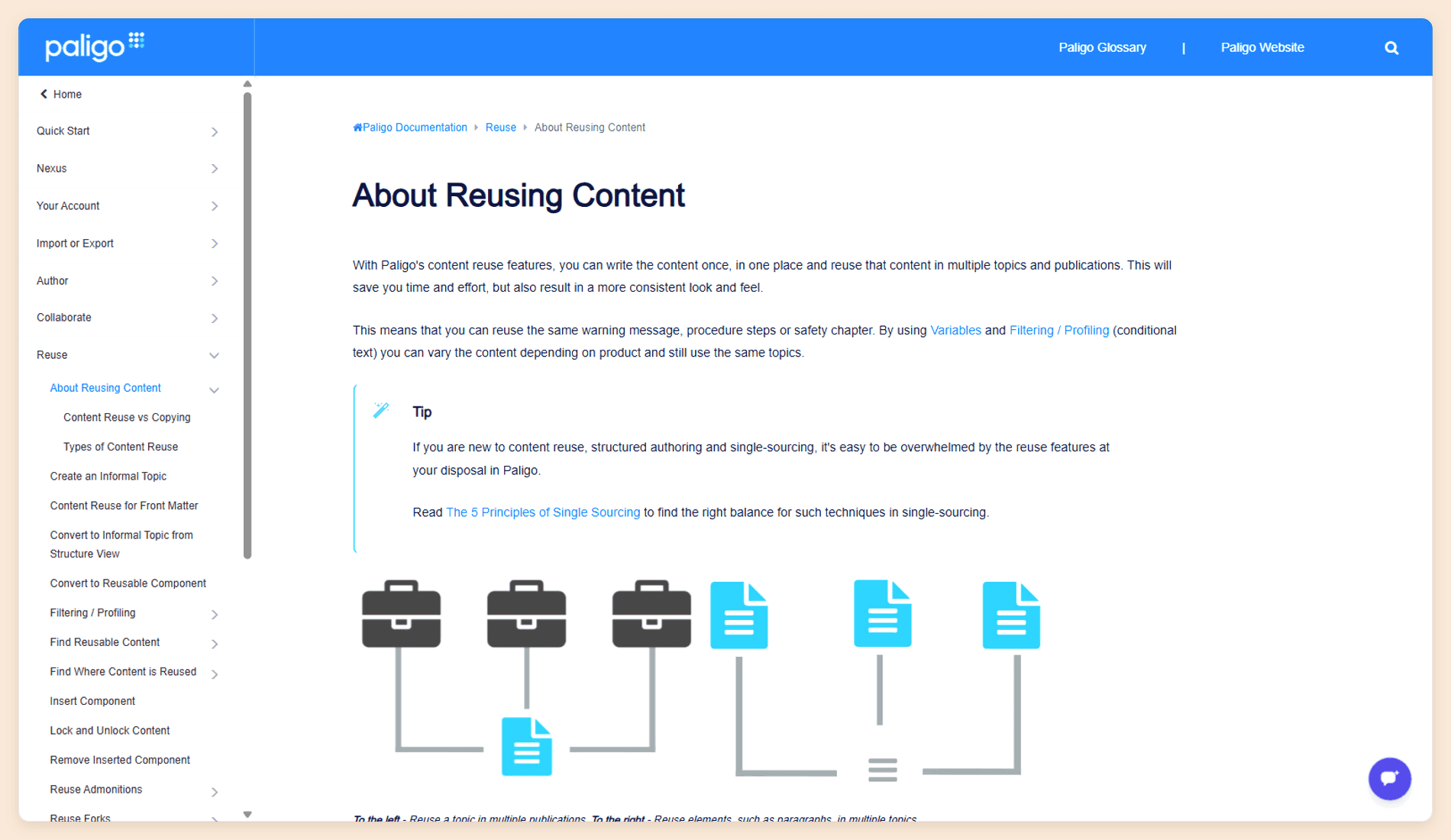
Paligo is a cloud component content management system. Instead of pages, writers manage reusable topics, so a warning written once appears in every manual that needs it and is translated once. That structure is why regulated industries use it.
Key features
- Variables, version branching and revision history.
- Contributor and reviewer workflows with track changes.
- Translation management with TMS integration and machine translation.
- Multi-channel publishing to HTML5, PDF, Markdown and help desks such as Zendesk and Salesforce.
- AI Assistant for authors on every plan; reader answers through the paid Nexus Answers add-on.
Pros
- Shared text is written and translated once, which keeps translation bills down on large manual sets.
- Publishes to Git repositories through CI integrations.
Cons
- The highest entry price on this list.
- The Business plan includes two authors and two languages.
Pricing
| Plan or add-on | Price | Includes |
|---|---|---|
| Business | From $15,000 a year with per-author licensing | Two authors and two languages |
| Enterprise | Custom | Agreed with sales |
| Nexus portal add-on | From $5,000 a year | Reader portal |
| Nexus Answers add-on | From $6,000 a year | Reader answers |
Figures are from Paligo's pricing page.
Verdict: Paligo pays off on regulated or heavily translated manuals, where reuse saves more than the license costs. For a single-product SaaS manual, the numbers don't work.
8. Scribe
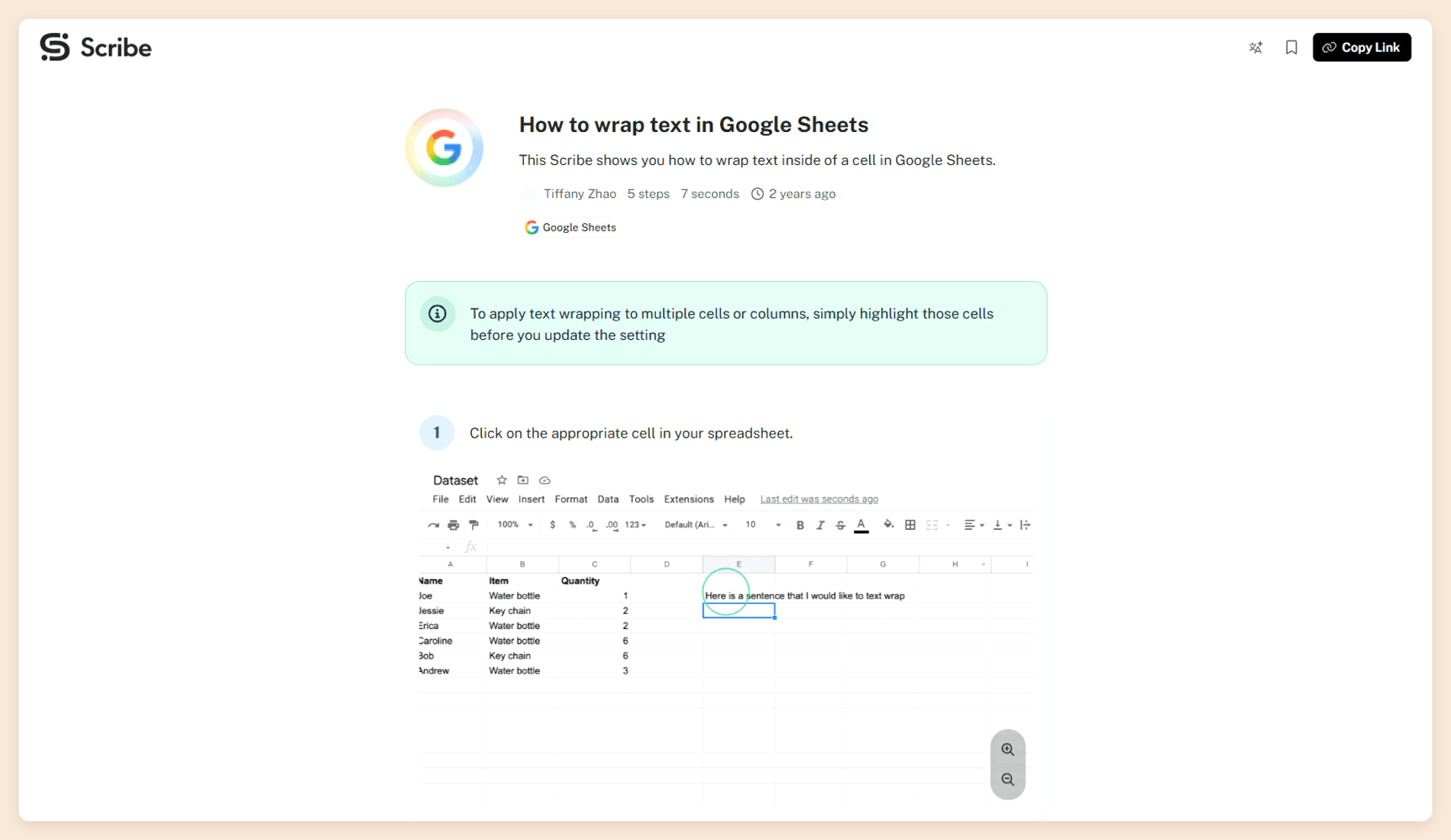
Scribe records a workflow in the browser or on the desktop and generates step-by-step instructions with screenshots automatically. Several guides can be combined into a Page with added text and media, which works as a lightweight online manual.
Key features
- Automatic step capture from the browser on every plan, and from Windows and Mac desktop apps on Pro.
- Export to PDF, HTML and Markdown on Pro and above.
- Comments, version history and a guide verification workflow on team plans.
Pros
- One click-through produces a written guide with annotated screenshots.
- Whoever does the task can document it, with no writer involved.
Cons
- A multi-guide Page can't be exported as a PDF. Only single guides export.
- No content reuse, variables or Git integration.
- Version history on Pro lasts one week.
Pricing
| Plan | Billed yearly | Billed monthly |
|---|---|---|
| Basic | Free | Free |
| Pro Personal | $25 per seat a month | $35 per seat a month |
| Pro Team | $13 per seat a month | $17 per seat a month |
| Enterprise | Custom | Custom |
Pro Team has a five-seat minimum. [6]
Verdict: Great for getting a process or SOP down quickly. For a customer manual, treat it as a companion to a documentation platform, which is also how our AI tools for documentation roundup places it.
9. Docusaurus
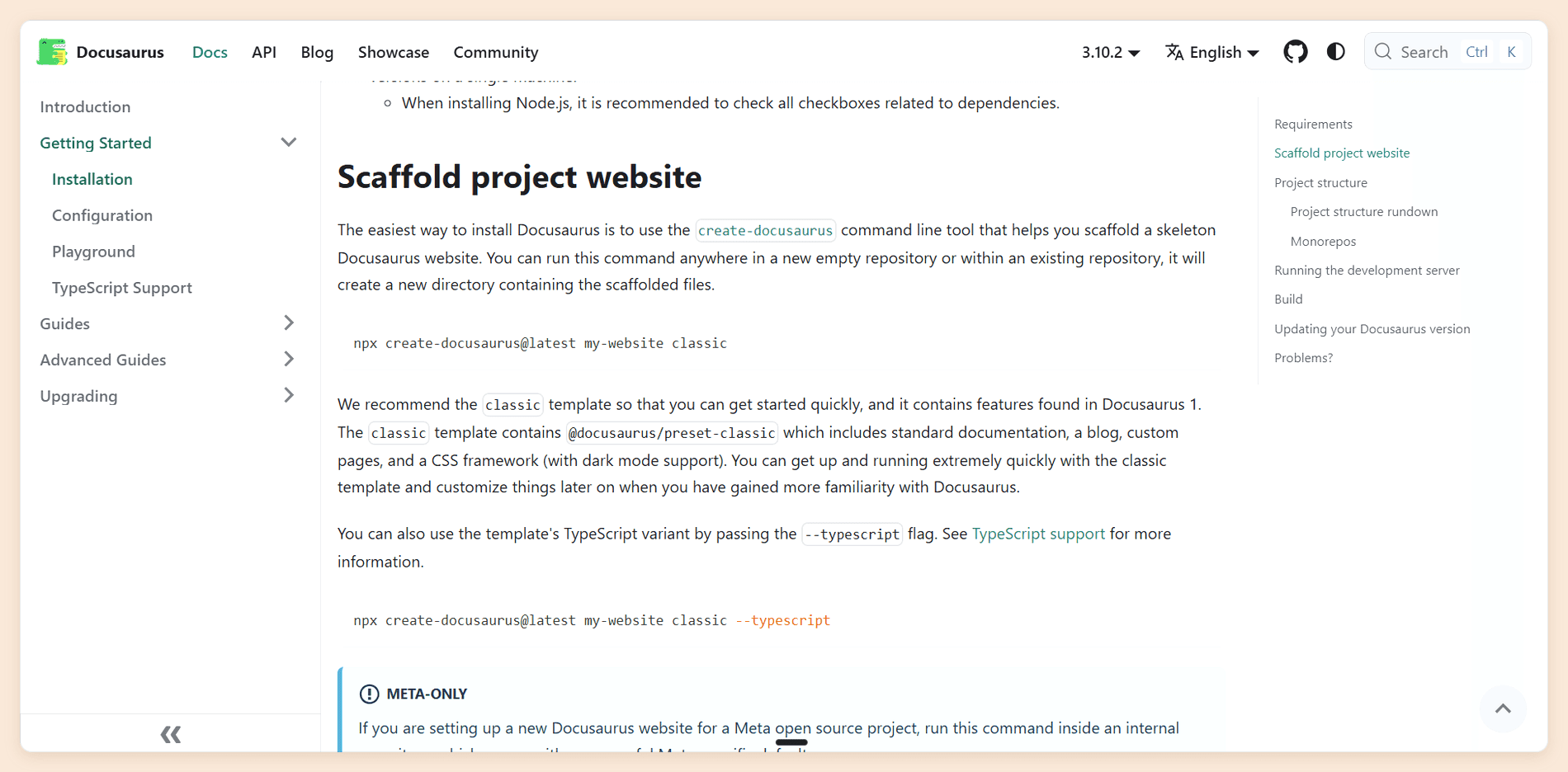
Docusaurus is Meta's open-source static site generator for documentation. You write Markdown or MDX in a Git repository, Docusaurus builds a static website, and you host it wherever you like. Each product release gets its own snapshot of the manual, translation runs through Git or Crowdin, and React gives you full control over the theme. Search comes from Algolia DocSearch, free for developer documentation, or from community plugins.
Pros
- No vendor lock-in: your manual is a folder of Markdown files.
- Free under the MIT license, with versioning and translation built in.
Cons
- No visual editor for non-technical writers.
- No built-in PDF output or reader AI.
Pricing
| Item | Cost |
|---|---|
| Docusaurus | Free and open source |
| Hosting | Whatever your host charges, such as Vercel, Netlify or GitHub Pages |
Verdict: Worth it if your developers want control and have the time to run it. Writers and support teams who need to edit without a pull request will struggle.
What Five Editors Pay a Year
Published prices use different units (per site, per user, per author, per portal), so we converted each one to the same case: five people writing and maintaining one user manual for a year, on the cheapest plan that includes five editors, billed annually. Quote-only vendors are left out.
| Tool | Plan | Five editors, one manual, per year | Reader AI included? |
|---|---|---|---|
| Docusaurus | Open source | $0 plus hosting | No |
| Documentation.AI | Standard | $660 | Yes, 1,000 answers a month |
| Scribe | Pro Team | $780 | No |
| GitBook | Essential | $1,500 | Yes, credit allowance |
| Mintlify | Pro | $5,400 | Yes, credit allowance |
| MadCap Flare | Desktop | $15,750 | No |
| Paligo | Business | From $15,000, two authors included | No, paid add-on |
The table uses paid plans because many teams need a custom domain, review controls or reader AI within the first year, though the free plans from Documentation.AI, Mintlify and Confluence also cover five editors.
To see what each Documentation.AI plan includes, compare them on the pricing page.
How to Create a User Manual With User Manual Software
The software matters most in the last three of these steps.
- Define the reader and their goal. A new admin setting up an account needs different pages from a power user troubleshooting an integration.
- List and rank the tasks. Write the manual around what people do, not around every screen in the product.
- Write one procedure per task. Give each a goal, prerequisites, numbered steps and a way to confirm it worked. AI writing assistants in Documentation.AI, GitBook, Mintlify and Paligo can produce the first draft from notes or code.
- Review before you publish. Use branches, change requests or reviewer workflows so a subject-matter expert signs off on every procedure.
- Maintain it with the product. Connect the manual to your repository or release process, and watch which reader questions the manual fails to answer.
These five steps are the short version. How to write a user manual expands them to 10 and includes a template you can copy, and there are separate guides for writing a product manual and an instruction manual.
How to Choose User Manual Software
Start with where the manual must be published and who will maintain it, then check the price at your real team size. Feature lists overlap heavily, so compare output format, editing model and the cost of reader AI instead. The comparison table at the top shows which tool fits which job.
Before you commit, run your own version of our five buyer questions during the trial. Import three real procedures, send one through review, publish it, and ask the reader AI a question your support team hears every week. Whichever tools get that right, on a plan you can afford, make your shortlist.
FAQs
1. What is the best software for creating user manuals?
It depends on the output. For an online manual for a software product, we'd pick Documentation.AI, which includes reader AI and self-updating automations on every plan. MadCap Flare is the standard for print and multi-format manuals, Paligo for regulated and translated manuals, and Document360 for support help centers.
2. Is there free user manual software?
Yes. Documentation.AI, Mintlify and GitBook all have free plans, though GitBook's covers one user. Confluence is free for up to 10 users, Scribe's Basic plan captures guides in the browser for free, and Docusaurus is free and open source if you can host it yourself.
3. Can ChatGPT create a user manual?
ChatGPT can draft a user manual from notes, transcripts or a feature list, and it is useful for a first pass. It doesn't know your product's current interface unless you give it the details, so check every step against the real product. It also can't host, version or update the manual. That's the work user manual software does.
4. How do I create a user manual in Microsoft Word?
Apply Word's built-in Heading 1, 2 and 3 styles to your sections, then insert an automatic table of contents from the References tab so it updates as the manual grows. Add numbered lists for procedures, screenshots with captions, and save as PDF to share. Word works for a short manual with one author, but it gets hard to manage once several people edit or the product changes monthly.
5. What is the difference between user manual software and knowledge base software?
Knowledge base software publishes short, separate help articles organized for search and ticket deflection. User manual software is the broader category, and it also covers help authoring tools and documentation platforms. Many teams use a knowledge base as their user manual.
6. Can user manual software export to PDF?
Most can, but check the plan. MadCap Flare, Paligo, Document360 and Confluence export PDF natively. Documentation.AI includes PDF export from the Pro plan and GitBook from Essential, while Mintlify does not include it on Starter or Pro. Scribe exports single guides, not combined Pages, and Docusaurus has no built-in PDF output.
Final Verdict
Pick by where the manual gets published, then ask who keeps it current. If it changes with every release, start with Documentation.AI: writers and engineers edit the same source, readers get AI answers on every plan, and automations draft the update when code merges. Book a demo to see how it would work with your manual.
Sources
- Documentation.AI. "Pricing." Documentation.AI, accessed October 27, 2026. https://documentation.ai/pricing
- GitBook. "Pricing." GitBook, accessed October 27, 2026. https://www.gitbook.com/pricing
- Mintlify. "Pricing." Mintlify, accessed October 27, 2026. https://www.mintlify.com/pricing
- Atlassian. "Confluence Pricing." Atlassian, accessed October 27, 2026. https://www.atlassian.com/software/confluence/pricing
- MadCap Software. "Pricing." MadCap Software, accessed October 27, 2026. https://www.madcapsoftware.com/pricing/
- Scribe. "Pricing." Scribe, accessed October 27, 2026. https://scribe.com/pricing
Already have a manual?
A manual that keeps itself current
Bring it across as it is, then let the agent update pages when code ships.
No credit card required