

Param Field
Reference for documenting API parameters with location badges, types, and status indicators.
Overview
The ParamField component lets you describe API parameters with:
-
Location badges: Path, Query, Header, or Body
-
Type labels: Such as string, integer, or boolean
-
Status tags: Required and Deprecated
-
Rich descriptions: Supporting any MDX content
You can work with ParamField in two ways:
-
Editor UI: Add and edit parameters visually with a form-based panel.
-
MDX: Use the
<ParamField>component directly in your content.
Using with Web Editor
Add a ParamField block
- Place your cursor where you want the parameter description.
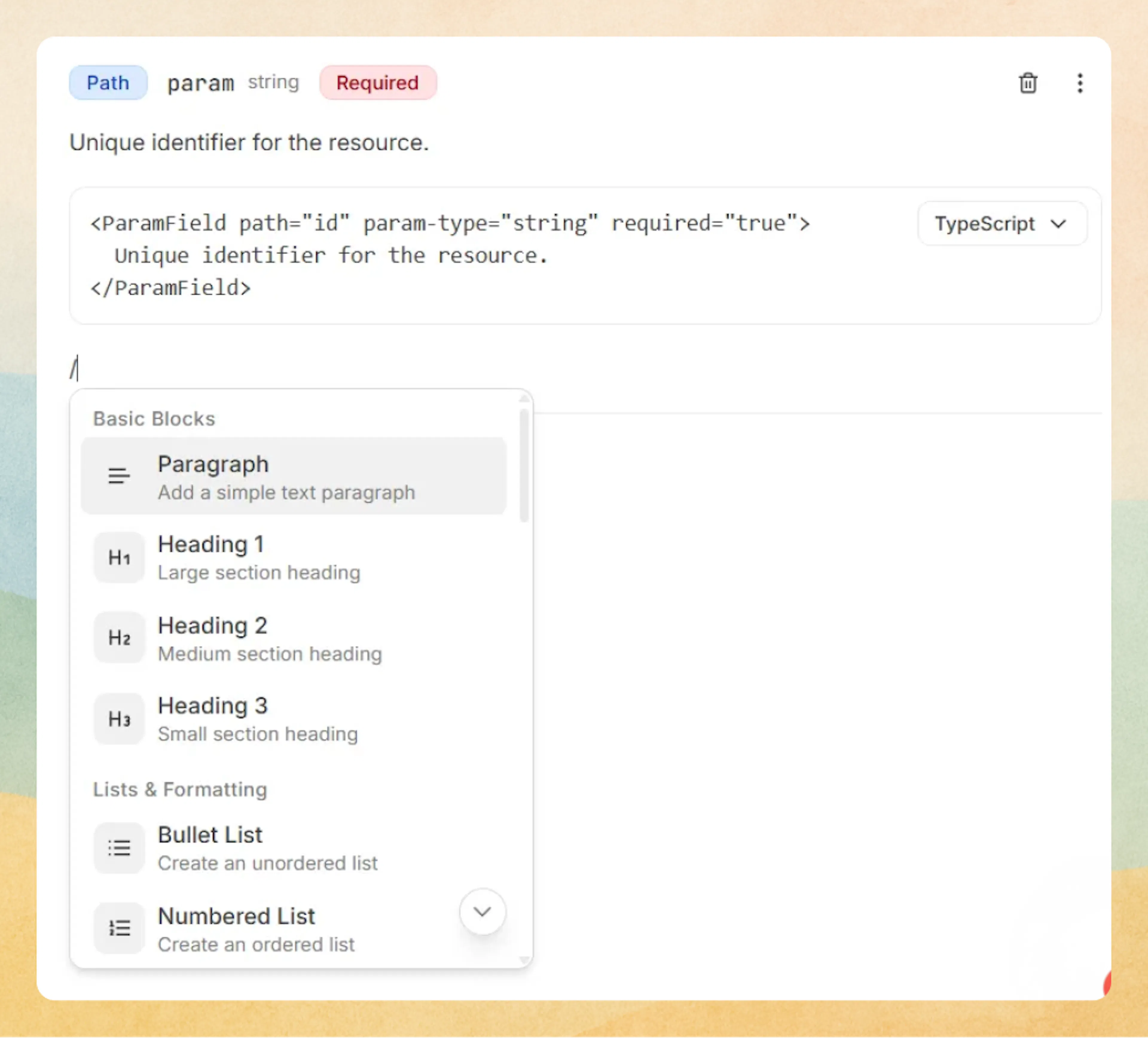
- Type / to open the command menu and search for Param Field (or Param).
- Select Param Field to insert the component.
A new parameter row appears with default badges and a description placeholder.
Prefer writing in code?
You can switch to MDX view inside the Web Editor to write or edit this component using the same syntax as the Code Editor. This is useful if you want full control while staying in the Web Editor.
Edit parameter metadata
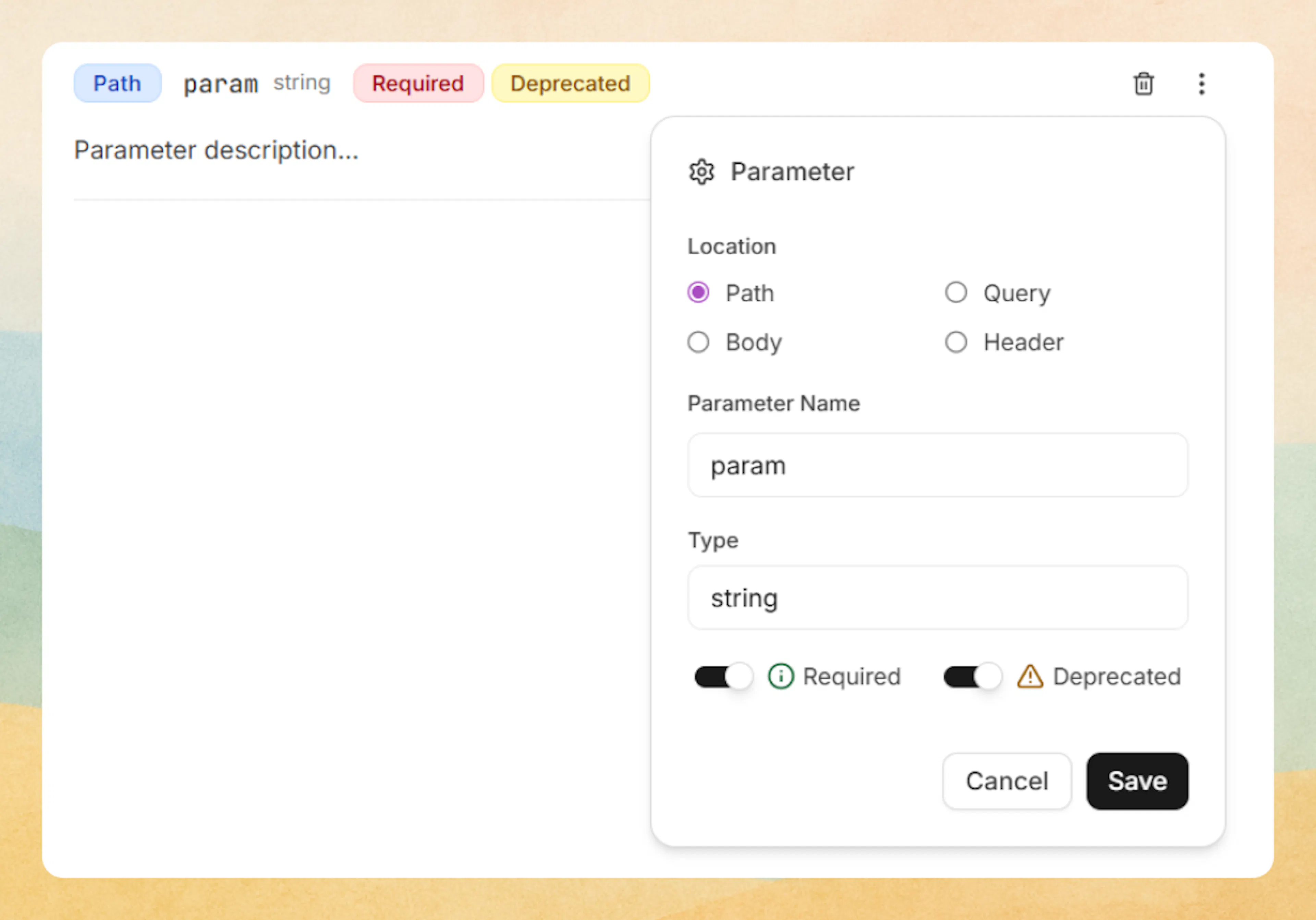
To change the badges and tags:
- Click the three-dot menu on the right side of the ParamField block.
- In the Parameter settings panel, you can edit:
- Location: Choose Path, Query, Body, or Header.
- Parameter Name: Set the name shown next to the badge (for example,
id,limit,Authorization). - Type: Enter the data type (for example,
string,integer,boolean). - Required: Toggle on to mark the parameter as required.
- Deprecated: Toggle on to show the Deprecated badge.
Click Save to apply your changes.
Edit the description
-
Click in the description area under the badges (for example, Parameter description…).
-
Add your explanation using any supported content:
- Text and headings
- Lists and tables
- Code blocks
- Callouts and other MDX components
Want to hide the location badge entirely? This is currently controlled in MDX using show-location="false".
You can either control location in MDX view or ask the AI Agent to “hide the location badge for this parameter” and let it update the code for you.
Using with Code Editor
Basic syntax
Use the <ParamField> component to document API parameters with their location, type, and requirements.
<ParamField path="id" param-type="string" required="true">
  Unique identifier for the resource.
</ParamField>
Unique identifier for the resource.
Hide location badge
Use show-location="false" to hide the location badge:
<ParamField query="token" param-type="string" show-location="false" required="true">
  Authentication token without location badge.
</ParamField>
Authentication token without location badge.
Advanced options
Attributes
Parameter name for URL path parameters.
Parameter name for query string parameters.
Parameter name for HTTP headers.
Parameter name for request body fields.
Data type: string, integer, boolean, object, array, etc.
Set to "true" for required parameters (default: "false").
Set to "true" to mark as deprecated (default: "false").
Set to "false" to hide the location badge (default: "true").
Use exactly one location attribute (path, query, header, or body) per ParamField.